AI Film Maker
Direct multi-shot stories node by node on Zeemo's canvas. Write the story, keep the character consistent, and fix any shot — without redoing the rest.
AI Film Maker Examples
Four films from Zeemo's AI film maker, each one a different genre — drama, sci-fi, documentary, and fantasy.
Sci-fi short
Drama short
Fantasy short
What the AI Film Generator Does
Four capabilities that carry a story from a first draft to a finished film.
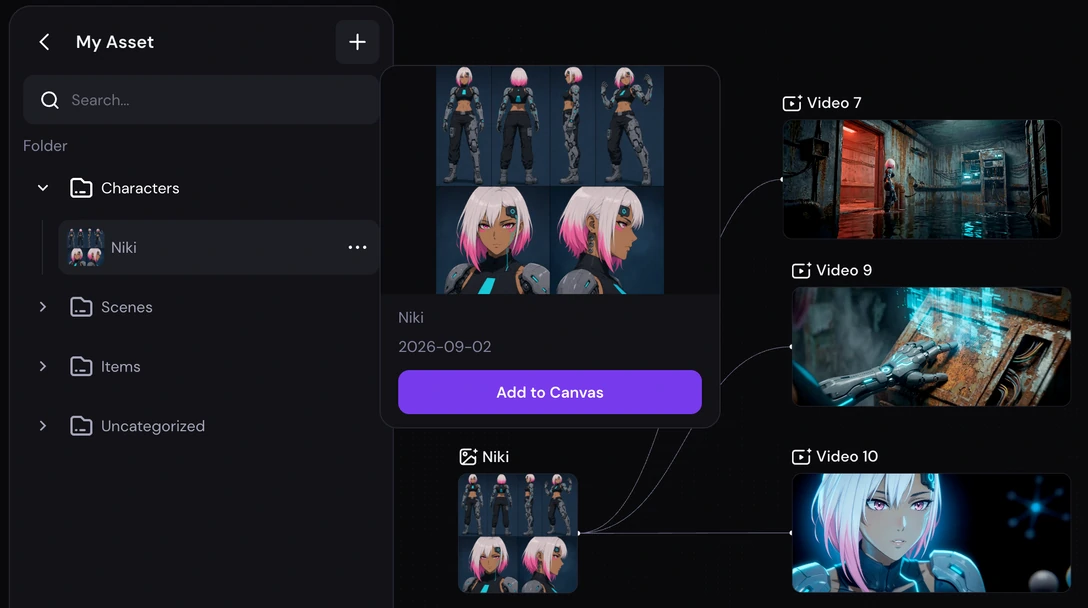
One character, every shot
Define your character once, then connect it to every shot. Zeemo keeps their face and look consistent across every shot — without re-describing them.
Save the character to your asset library and reuse it on any canvas — the next shot, the next scene, or an entirely different project.
Same face. Every shot.
Define a character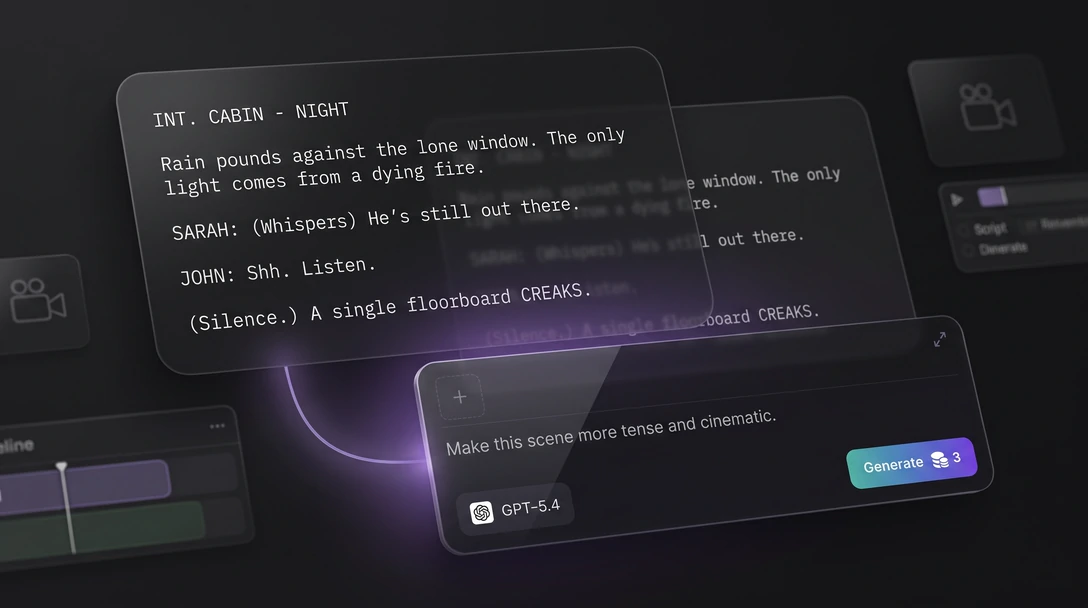
Write and direct on one canvas
An AI assistant lives on the canvas itself. Draft dialogue, refine a scene, or brainstorm where the story goes next, without opening a separate document or switching tools.
The script, the character, and the generated video stay on the same project — nothing to reimport, nothing to keep in sync by hand.
Write it. Direct it. Same canvas.
Try the assistant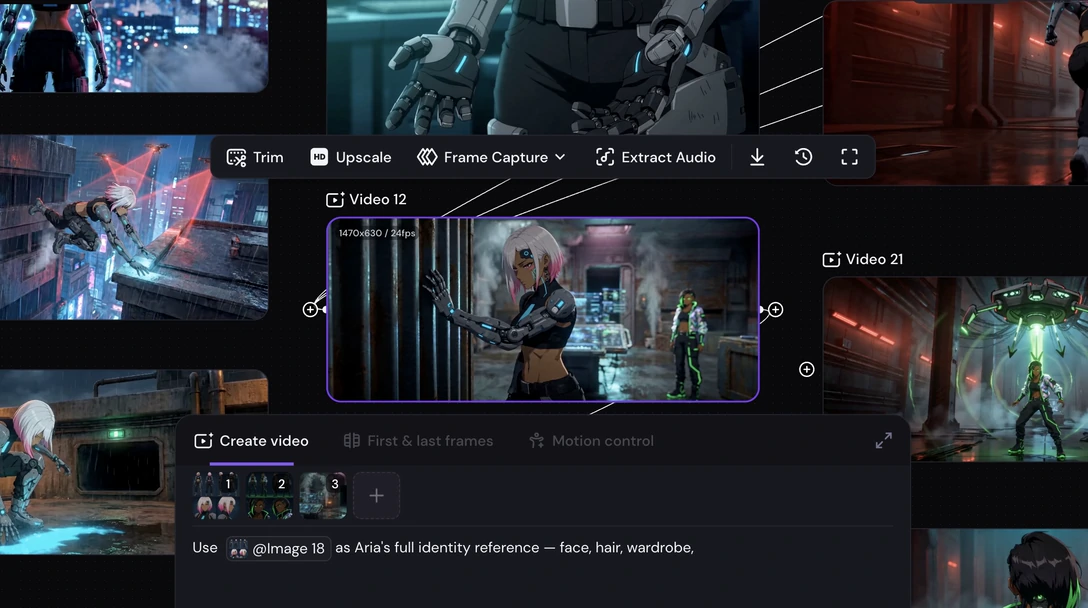
Change one shot, keep the film
Every shot is its own node on the canvas. When one shot misses, regenerate that node on its own — the rest of the film, and the character inside it, stays exactly as it was.
A full regeneration is still one click away for the shots where you want a different direction entirely.
Change one shot. Keep the film.
See how editing works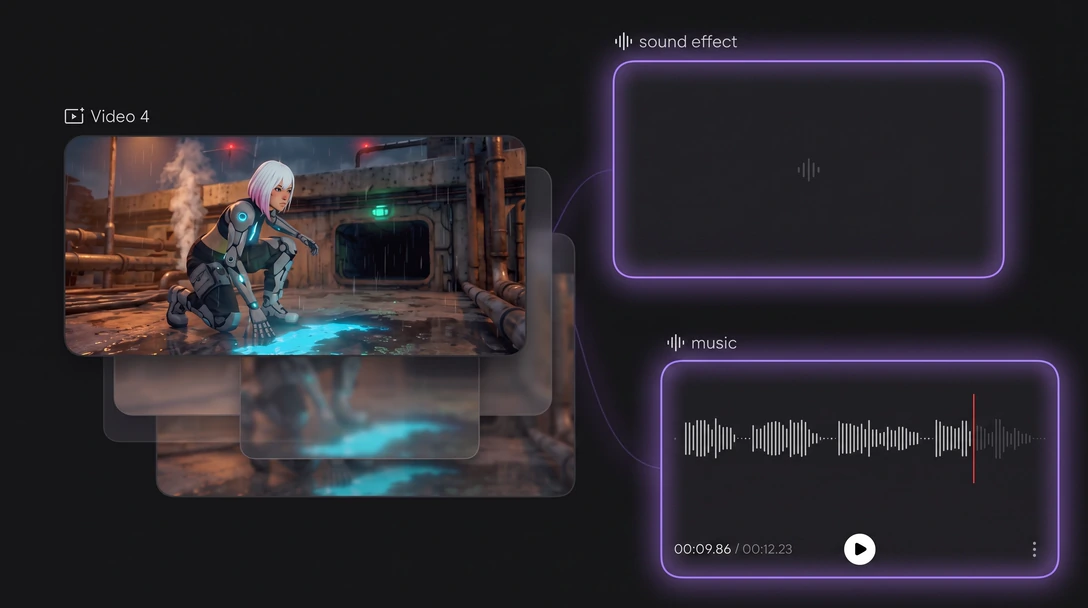
Score it, mix it, export it
Add a generated music score and sound effects to fit each scene, without leaving the project. Then export for wherever the film runs — vertical, square, widescreen, and more available formats.
Generate each shot with Zeemo's current lineup of advanced video models, and switch models mid-project without rebuilding the shots you already have.
Scored. Mixed. Exported.
Add music and soundEverything You Need in an AI Film Maker
The full list of what runs on the same canvas.
Character Consistency
Same face and look across every shot, scene, and even separate videos.
Single-Shot Editing
Revisit and regenerate one node without rebuilding the rest of the film.
Built-in AI Assistant
Write and refine the script without leaving the canvas.
Asset Library
Save any character, image, or clip to your library, ready to reuse in a new project.
Character Turnaround
Turn a single photo into a full character turnaround, every angle covered.
Multi-Model Casting
Generate each shot with the model that suits it.
Built-in HD Upscale
Upscale any node to crisp, high-resolution output.
Background Music
Generate a music node to score a scene without leaving the canvas.
Sound Effects
Generate sound design that matches the action on screen.
Multi-Format Export
Multiple aspect ratios, depending on the model.
How to Make an AI Film on Zeemo
Four steps, all on the same canvas, from a first character to a finished film.
1
Define your character and story
Upload a reference image or describe your character in text, then write the story you want to turn into a film.
2
Write and generate shot by shot
Use the built-in assistant to write or refine the script, then generate each shot as its own node on the canvas.
3
Add music and sound
Score each scene and add sound effects to match the action, all on the same canvas.
4
Fix, export, and share
Regenerate any single shot that misses, export in any frame you like, and share the finished film.
Explore More AI Solutions on Zeemo
Every solution runs on the same canvas. Explore more ways to create with Zeemo.
Frequently Asked
Questions
Start your first film today
One character, defined once, ready for every shot you generate next.