(Updated in January 2026)
2025 marked a rapid development in AI video generation tools, profoundly transforming the field of video content creation. An increasing number of new tools and technologies have appeared. Challenges that always plagued AI video generation, such as workflow integration, character consistency, and precise creative control, are also gradually being overcome.
Today, whether you are a marketer, educator, influencer, or small business owner, an AI video generator should be an essential part of your AI toolkit.
However, with so many options already on the market, how do we quickly find the right tool? This article divides users into three groups: professional studios, individual creators, and small to medium-sized businesses. We identify the best ai video generators for each group. So, if you’re wondering why these top AI video generators are still superior by the end of 2025, read the following review to help you make your choice.
Key takeaways
- There’s no single “best” AI video generator—only the tool that best fits your needs.
- Professional studios prioritize realism, physical consistency, and cinematic language. Recommended tools: Kling, Veo, Sora, Runway.
- Individual creators value speed, ease of use, and reliable output. Recommended tools: Zeemo, Pika, PixVerse.
- Enterprise users focus on ROI, scalability, and commercial applicability. Recommended tools: HeyGen, InVideo, Hailuo.
- The ceiling of output quality is determined by the model, but stability and production efficiency depend on product design.
- Once you choose the tool that suits you best, learn a few practical tips to use it effectively. This will help you produce high-quality videos more efficiently.
What is the best AI video generator and how do we select them?
The term “best AI video generator” doesn’t mean a tool leads in every single dimension. Instead, it refers to the one that achieves the best overall balance for a specific user scenario across three key dimensions:
- Output Quality (Visual + Motion + Audio Fidelity) Includes realism, physical consistency, character performance, cinematic language, audio-visual sync, and lip-sync accuracy.
- Controllability (Prompt Adherence + Camera + Character Control) Can the tool reliably execute complex prompts? Does it support start/end frames, camera paths, and keyframe control.
- Stability & Efficiency (Consistency + Speed + Iteration Cost) Does it require extensive trial and error? Are generation speed and costs practical for production?
This review is based on the following data sources:
- Official product documentation and update logs
- User community feedback and real-world testing samples
- Third-party review platforms (e.g., Artificial Analysis, G2, Reddit, X)
- Internal comparison of generated test results
By combining feedback from multiple sources, we did not attempt to pick an “absolute winner.” Instead, we evaluated tools for three core user groups and selected the best solution within each category. Now, let’s dive in.
For Professional Studios: Cinematic Powerhouses
Film studios, advertisement agencies, and visual effects artists can’t compromise with the best, which stimulated the rapid development of professional AI model tools. The best video ai generators in this category represent the highest level of what an AI-generated video could be in 2025. They give you fantastic realism and precision. They are even capable of conjuring scenes that used to require vast financial resources to create. Even Netflix has already started using AI to create visual effects in its shows.
Here are the top AI video generators that can take you to the stars in high-level professional work. Let’s dive in!
Kling 2.6
Kling, a product under Kuaishou, officially released version 2.6 in December 2025, marking a significant upgrade. The new version adopts an optimized DiT architecture at its core, greatly enhancing the simulation of complex physical environments. Details such as fluids, fabrics, and motion trajectories are rendered with realism close to actual filming. Kling 2.6 supports native 1080p at 60fps output and enables synchronized generation of text, visuals, and audio, allowing creators to produce fully integrated videos with both images and sound in a single step.
Through algorithmic optimization, Kling 2.6 reduces model inference costs, making large-scale commercial deployment more cost-effective. For content teams, it can integrate with workflows for short videos generation, live streaming, and e-commerce, significantly boosting professional video production efficiency.
Feedback from many online users indicates that Kling 2.6 delivers noticeably smoother, more natural transitions between the start and end frames of generated videos. The generated speech carries emotions that better match the video’s atmosphere, and the lip-sync accuracy is solid. With the same prompt, character expressions also appear more vivid and lifelike.
Plan Details & Feature Breakdown
- Free plan: yes, with 66–100 video credits (one 5s video costs 10–35 credits, depending on quality/platform)
- Price: standard $6.99/monthly (660 credits)
- Text/image to video: yes (Both, supports up to 4 reference images)
- Quality: 1080p/60fps (high quality with native audio-visual sync)
- Duration: 5s/10s (Motion Control may extend to 30s one-shot)
- Camera control: yes (Motion Control for camera trajectories, pans, zooms)
- Preset: creativity–relevance slider (balance style vs prompt fidelity)
- Other functions: automatically refine prompts, native audio/lip-sync, multi-image guidance
Pros and cons of Kling 2.6
Pros:
- Photorealistic visuals: Produces highly realistic, cinematic-quality videos, with strong performance in skin textures, hair movement, and lighting.
- Advanced motion modeling: Delivers smooth, physics-aware motion. Handles complex dynamics such as human movement, objects, and fluids well.
- Native audio-visual sync: Generates audio and visuals together by default. Lip-sync and ambient sound are accurate, improving narrative completeness.
Cons:
- Short clip duration: Single generations are typically limited to 5–10 seconds. Longer videos require stitching in post-production.
- Prompt sensitivity: Requires prompt experimentation.
- Credit consumption: Credit usage is relatively high, especially in high-quality modes with audio.
Google Veo 3
Google Veo is a leading AI video generation model series developed by Google DeepMind. In May 2025, Veo 3 was officially released, marking Veo’s entry into the “sound era.” Veo 3 integrates audio and video generation, supporting synchronized production of ambient sounds, dialogue, and lip-sync. It can generate high-definition videos with realistic physical effects and dynamic lighting from text or image prompts. Director Darren Aronofsky even collaborated with Veo 3 on a trailer project.
Based on the generated results we collected, Google Veo 3 matches Kling 2.6 in video generation quality, with natural-sounding speech and accurate lip-sync. It also supports generating videos from start and end frame images and is less prone to obvious bugs.
Plan Details & Feature Breakdown
- Free plan: No free plan for Veo 3
- Price: Google AI Pro: $19.99/month (limited Veo 3 access); Google AI Ultra: $249.99/month (full access, higher limits)
- Text/image to video: Both, supports text-to-video and image-to-video generation
- Quality: Supports video output from HD to 4K quality.
- Duration: Up to 8 seconds per generation (chainable for longer videos)
- Camera control: Yes, advanced camera controls available in Ultra plan
- Preset: Yes, includes cinematic styles, presets for ads/animation/storytelling
- Other functions: Native audio generation (dialogue, sound effects), lip-sync, Flow video editor integration, multi-modal inputs
Pros and cons of Google Veo 3
Pros:
- Photorealistic visuals: Produces highly realistic, cinematic-quality videos, with strong performance in skin textures, hair movement, and lighting.
- Native audio generation: Generates synchronized dialogue, ambient sounds, and music, transforming silent clips into immersive experiences.
- Prompt understanding: Accurately interprets complex prompts for camera angles, moods, and narrative flow, reducing iterations needed.
Cons:
- Occasionally inconsistent results: Rendering glitches, motion artifacts, and failures in complex scenes like multi-person shots or dialogue sync occur occasionally.
- High cost and access: Requires expensive plan, no free trial, and regional restrictions.
- Short clip limits: Restricted to 8-second videos. Continuity issues across scenes, needing post-production for longer content.
Sora 2
OpenAI’s Sora 2 was released at the end of September 2025. It introduced support for synchronized audio-video generation, the Cameo feature (injecting real people into AI scenes), and a high-quality version called Sora 2 Pro. Its physical accuracy was greatly improved, capable of simulating Olympic gymnastics, fluid dynamics, and complex motions. Many professional teams use Sora 2 to produce cinematic-quality videos, social media promos, and even educational content.
Sora 2 also launched a “Sora” app, modeled after TikTok’s vertical feed, earning it the nickname “AI TikTok.” The Cameo feature allows verified users to inject their real likeness into AI scenes for multi-person interactions and collaborative videos, attracting a segment of individual users as well.
Based on the generation results we collected online, many users have used Sora 2 to create entertaining videos for social media. Compared with Kling 2.6 and Veo 3, its output is less stable, but the generation speed is faster (15–35 seconds vs. 30–60 seconds). Among tools suitable for professional teams, it is the best option for producing high-quality, social media–style short videos.
Plan Details & Feature Breakdown
- Free plan: Available (invite-only waitlist, limited daily quota ~6 videos, no credit card required)
- Price: Sora 2 uses a per-second billing API model. ChatGPT Plus/Pro users can access it indirectly through their subscription quotas, while non–ChatGPT paid users can use the API directly, with charges based on generation duration. The API requires a minimum top-up of $10.
| Model | Resolution | Price/Second |
| Sora 2 Standard | 720p | $0.10 |
| Sora 2 Pro | 720p | $0.30 |
| Sora 2 Pro HD | 1080p | $0.50 |
- Text/image to video: Yes (text prompts primary; image references/Cameos supported)
- Quality: Up to 1080p (free tier: 480p-720p; Pro unlocks higher)
- Duration: Up to 20s (free tier shorter clips ~5-12s)
- Camera control: Yes (prompt-based: pan, zoom, multi-shot continuity)
- Preset: No (relies on descriptive prompts for styles like realistic/animated)
- Other functions: Audio sync (dialogue/effects), Cameo (self-insert), Remix existing videos, no watermark on some platforms
Pros and cons of Sora 2
Pros:
- Character Cameo Feature: Allows seamless insertion of verified real people, pets, or objects into scenes while maintaining consistent appearance and motion.
- Synchronized Audio Generation: Produces videos with perfectly synced background music, dialogue, and sound effects in one generation, eliminating separate audio editing.
- Photorealistic visuals: Delivers cinematic-quality videos with exceptional skin textures, hair dynamics, and realistic lighting.
Cons:
- Limited access: No free trial, and there is a learning curve to getting started.
- High Cost for Volume: API pricing ($0.10-$0.50/second) becomes expensive for frequent professional use, less ideal for bulk production.
- Duration Constraints: Limited to 15-25 seconds per clip, requiring stitching for longer videos which often causes consistency issues.
Runway Gen-4.5
The Gen-4.5 model is Runway’s latest generation, officially released on December 2025. Key updates include native audio generation, image-to-video conversion, and keyframe control, while retaining the speed advantages of Gen-4. Gen-4.5 enables objects to convey realistic weight, fluids to flow naturally. It supports cinematic lighting, stylized animation, and multi-camera sequencing. Over 100 production studios, media organizations, and advertising agencies are already using Runway Gen-4.5 for films, commercials, and branded content projects.
Although Gen-4.5 topped the Artificial Analysis Video Leaderboard with an Elo score of 1247—surpassing Google Veo 3 (1226) and OpenAI Sora 2 (1206) and earning acclaim as a new benchmark in video generation. Our collected results show that Runway Gen-4.5 can sometimes produce distorted characters or motions that appear unnatural and less fluid.
Plan Details & Feature Breakdown
- Free plan: Available with 125 one-time credits (no monthly refresh); watermarked outputs; limited to testing Gen-4.5 features.
- Price: Standard $12-15/month; Pro $28-35/month; Unlimited $76-95/month (annual discounts apply).
- Text/image to video: Yes, full support for both text-to-video and image-to-video generation using Gen-4.5.
- Quality: Free limited to 720p with watermarks; paid plans unlock 1080p/4K, watermark-free, high-fidelity physics and motion.
- Duration: Up to 10-20 seconds per clip (credit-dependent, e.g., ~52s total high-fidelity video on Standard); relaxations in Unlimited.
- Camera control: Yes, advanced controls for multi-shot, motion, angles via prompts and Director Mode.
- Preset: Limited in Free (basic styles); full stylistic presets, custom voices, and modes (e.g., Turbo) in paid plans.
- Other functions: Native audio (paid), keyframe editing, upscaling, asset storage (5GB Free, 100GB+ paid), integrations like Adobe Firefly.
Pros and cons of Runway Gen-4.5
Pros:
- Photorealistic visuals: Produces highly realistic, cinematic-quality videos, with strong performance in skin textures, hair movement, and lighting.
- Superior physics simulation: Objects exhibit realistic weight, momentum, and fluid dynamics, reducing floaty artifacts for believable motion.
- Excellent prompt adherence: Accurately follows complex prompts with multiple elements, camera directions, and continuity, minimizing hallucinations.
Cons:
- Occasional distortions and incoherence: In complex object scenes, slight jittering or deformation may appear. Some generated motions can feel unnatural, exhibiting an AI-generated look.
- Limited clip duration: Restricted to short 4-20 second outputs, unsuitable for longer narratives without stitching.
- Credit-based costs add up: High-fidelity generations consume credits quickly, making heavy use expensive even on paid plans.
For Individual Creators: Agile & Expressive Tools
For individual creators, the ideal AI video generator should prioritize cost efficiency, speed, and ease of use. Unlike professional studios, solo creators do not need extreme photorealism, complex camera choreography, or team collaboration features. Instead, an all-in-one tool with an intuitive interface, a low learning curve, and consistently stable output across multiple styles is a better fit.
Based on these criteria, we selected three flexible tools well suited for individual creators. All of them making it easy to get started and quickly turn creative ideas into high-quality video content.
Zeemo
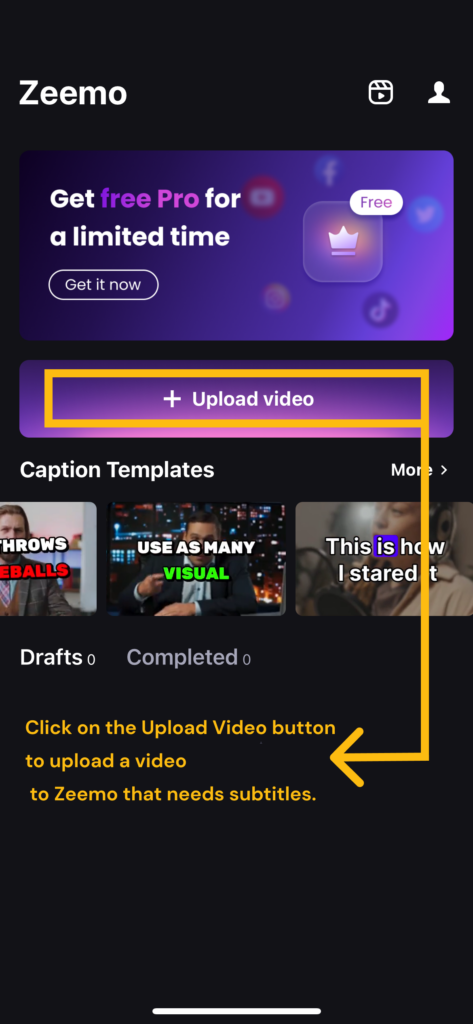
Zeemo’s video generation features are built specifically for individual creators. The goal is to help them produce high-quality videos quickly and with ease. Zeemo offers two core video generation tools: AI film maker and AI story video. Both were updated to their latest versions at the end of 2025, respectively, and continue to be actively iterated and improved.They cover the two most common kinds of video individual creators make: AI story films and AI faceless story videos. Even users with no prior AI video experience can get started easily and create viral-ready content.
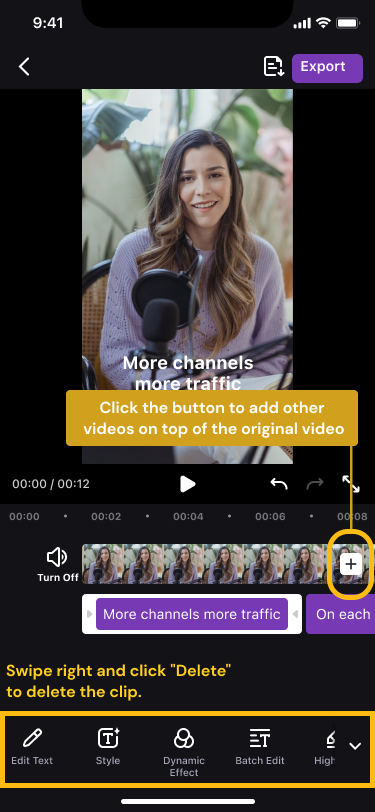
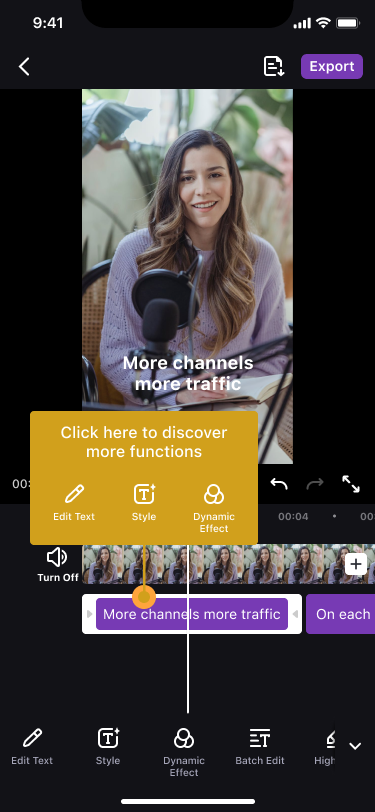
AI story video is a one-sentence video generatior. You simply enter a short video idea, and Zeemo uses AI to generate a complete script (available in 15 languages) and automatically turns it into a video. It supports a wide range of content types, including educational, motivational, fictional, and romantic videos. With one click on “Generate,” Zeemo creates static or animated visuals, dynamic subtitles, voiceover, and background music. Turning ideas into highly shareable content has never been easier. Especially well suited for TikTok and Reels.
AI film maker is an all-in-one solution for creating AI story shorts. It remains easy to use while offering creators more control. Users can define the main character using images, ensuring consistent characters and visual style throughout the video. This enables deeper storytelling. Creators simply input their story idea and define the characters. Zeemo then leads them step by step through script generation, storyboarding, animated clip creation, and also adding music and sound effects. Each stage can be adjusted through text, with results previewed in real time. As a result, the final AI short is a polished, high-quality piece rather than a one-click result.
Users generally report that Zeemo accurately interprets input prompts and quickly generates high-quality videos. The interface is clean and easy to use, making it a highly cost-effective tool.
Plan Details & Feature Breakdown
- Free plan: Yes, 120 credits/year (for AI story video feature).
- Price: Pro ($6.67/mo.), Expert ($13.33/mo.), and Business ($15.99/mo.);
- Text/image to video: Yes—both tools can generate videos from text, while AI film maker additionally allows users to define video style and character appearance using images.
- Quality: Up to 1080p
- Duration: 30s~3min max
- Camera control: Adjustments can be made by modifying the prompt text.
- Preset: Yes. For AI story video: 500+ dynamic caption templates; 15 languages, static/animated visuals; For AI film maker:character library or image-based custom characters.
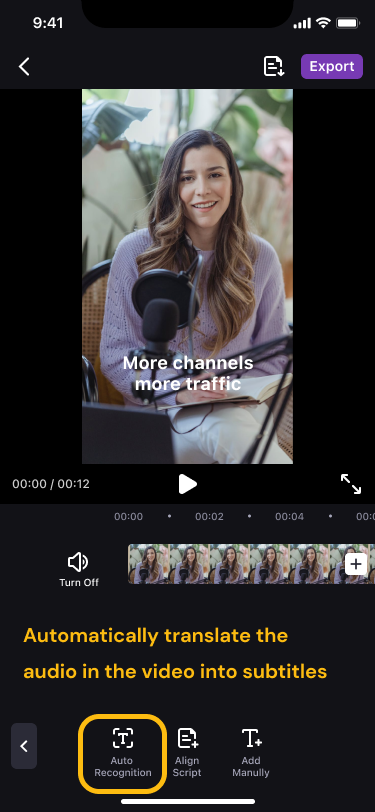
- Other functions: AI translation (124+ langs), video resizer, music/sticker addition, AI caption generator.
Pros and cons of Zeemo AI
Pros:
- Speed and efficiency: Generates complete AI videos in minutes from text, saving creators 10+ hours per week on video generation.
- Consistent characters: No professional skills required. Easily create coherent characters and achieve deep storytelling in videos.
- All-in-one workflow: No need to learn API usage or switch between tools for scriptwriting, storyboarding, and stitching video clips. With this single tool, you can quickly produce a complete, viral-ready video.
Cons:
- Limited advanced editing: Lacks deep video editing features; more for quick social clips.
- Free plan restrictions: AI story video offers a free trial, while the AI film maker feature currently does not have a free trial available.
Pika 2.5
Pika Labs released version 2.5 at the end of 2025, introducing the Pikaframes keyframe transition system. This update extends image- and text-to-video generation to 10-second 1080p clips, supports seamless HD scaling, and enables dynamic animation control, significantly improving stability and video length.
Pika is particularly well suited for individual video creators, as it greatly lowers the barrier to entry. No professional equipment or software is required—videos can be generated simply by entering text prompts or uploading images. With Pikaframes keyframe transitions and camera movements such as panning and zooming, users can easily achieve cinematic-level shots without learning complex editing techniques.
Based on user feedback and videos generated with Pika, one of its key features is the keyframe transition system. By setting start and end keyframes with images, the AI automatically generates smooth 1–10 second animations, naturally transforming objects or scenes. Pika can also replace characters in a video while maintaining consistent motion details.
Plan Details & Feature Breakdown
- Free plan: Basic free plan, 80 monthly video credits
- Price: Standard: $8/month; Pro: $28/month; Fancy: $76/month (Billed yearly)
- Text/image to video: Supported (Text-to-Video and Image-to-Video, 5-second basic generation)
- Quality: Up to 1080p
- Duration: 5s~30s
- Camera Control: Supports zoom in/out, panning (left/right/up/down, including combinations like pan up-left), and rotation (clockwise/counterclockwise). Also supports multi-frame sequencing in director mode.
- Presets: Includes Pikaformance (hyper-realistic expression sync), motion brush presets for precise object movement, and stylized options such as pixel art or cinematic style. Basic versions are available on the free tier.
- Other Functions: Motion Brush: Controls movement in specific areas. Pikadditions: Adds objects to a single image. Pikaswaps: Replaces objects within a scene.
Pros and cons of Pika 2.5
Pros:
- Rich social media features: Offers viral TikTok/Reels templates, quick “poke/tear” effects, and preset camera motions tailored for short-form content creators.
- Fast generation speed: Videos render in 30-60 seconds, ideal for rapid iteration on TikTok/Reels content.
- Strong image-to-video: Excels at animating still images into smooth, dynamic clips with creative effects like inflate or melt.
Cons:
- Short clip length: Limited to 5~30 seconds max, unsuitable for longer storytelling or cinematic narratives.
- Inconsistent realism: Faces, hands, and complex motions often show artifacts or morphing issues.
PixVerse V5.5
PixVerse V5.5 is the latest version from Aishi Technology, released in December 2025. It introduces multi-camera and audio-sync capabilities for the first time, supporting one-click narrative video creation and automatic generation of storyboards, dialogue, sound effects, and music. It is particularly well suited for individual creators producing practical narrative videos.
V5.5 supports 5–10 second short clips, offering smooth and natural camera movements (zoom, pan), multi-character lip-sync, and director-style prompt control.
Plan Details & Feature Breakdown
- Free plan: Available with limited daily credits (e.g., 60 refreshed daily + initial 90), watermarked outputs, suitable for testing.
- Price: Starter:$10/month; Essential: $100/month; Scale: $1500/month; Business: 6000/month;
- Text/image to video: Supported (text-to-video and image-to-video workflows).
- Quality: 360p ~ 1080p
- Duration: Limited to short clips , up to 10s
- Camera control: Over 20 cinematic controls.
- Preset: Effect presets for pans, dolly-ins, parallax motion, multi-clip storytelling (1-3 shots), plus templates for camera paths, lighting continuity, and scene transitions.
- Other functions: Multi-shot narrative (up to 10s videos), built-in audio sync (dialogue, music, SFX), lip-sync, prompt optimization, start/end frame guidance.
Pros and cons of PixVerse V5.5
Pros:
- Smooth motion and animations: Delivers natural, fluid movements with physics-based realism, ideal for personal storytelling and social media clips without stiffness.
- Superior prompt adherence: Accurately interprets complex instructions for camera angles, moods, and actions, empowering creators to realize precise visions quickly.
- Character consistency: Maintains stable appearances, clothing, and mannerisms across multi-frame videos, simplifying narrative creation for individual users.
Cons:
- Limited motion refinement: Animations lag behind top competitors like Runway or Google Veo in nuanced, high-end cinematic quality.
- Restricted advanced editing: Lacks flexible professional tools for post-production tweaks, frustrating detailed personal projects.
- Short duration caps: Outputs limited to brief clips (e.g., 10s), hindering longer-form content for solo creators.
For Small and Medium Enterprises: Business-Focused Platforms
For SMEs, the primary goal isn’t art; it’s ROI. Therefore, the top ai video generators in this category focus on efficiency, scalability, and direct commercial use. They enable the creation of marketing videos, corporate training content, and e-commerce ads with minimal time and effort. The priority is to streamline the entire workflow, from idea generation to video publishing.
Based on user feedback we collected and the product’s design for commercial use, we have identified the following three tools as the best options for SMEs.
HeyGen
HeyGen is the best AI text to video generator, designed to quickly create professional videos from text. With a low learning barrier, strong multilingual support, and high automation, it is well suited for small and medium-sized businesses looking to improve efficiency and reduce costs. HeyGen initially gained traction by using AI-generated avatars for talking-head videos.
By the end of 2025, HeyGen supports over 700 stock video avatars and more than 175 languages and dialects. Combined with emotion control and accurate lip-sync, it can generate natural-looking presenter videos. In the second half of 2025, HeyGen introduced more realistic full-body avatars, LiveAvatar for real-time interactive virtual presenters, Video Agent, and AI Studio creative tools, further strengthening interactive storytelling and scalable video production capabilities.
On software review platforms such as G2, users widely praise HeyGen for its performance in emotion and body movement control, real-time rendering, and personalized avatars. Many consider its output quality and ease of use to be leading among comparable products.
Plan Details & Feature Breakdown
- Free plan: 3 videos per month, 720p video export
- Price: Creator: $29/month; Business: $149/month; Enterprise: contact their sales.
- Text/image to video: Yes (text-to-video is core feature)
- Quality: 720p~ 4K
- Duration: Depending on the plan, Business can produce up to 60-mins
- Camera control: No (limited to preset movements in stock avatars; no advanced manual control)
- Preset: Yes (700+ stock avatars, basic templates, 175 languages and dialects)
- Other functions: Custom avatar, scale your brand and centralize assets, workspace collaboration
Pros and cons of HeyGen
Pros:
- Natural AI avatar: Produces realistic videos with strong performance in skin texture, facial details, and lighting. Many users note that its virtual avatars appear more natural compared to similar tools.
- Time and cost efficiency: Significantly shortens video production cycles, allowing businesses to complete content in minutes that previously required whole teams and studios, greatly reducing labor and shooting costs.
- Multilingual & localization: Supports multiple languages with high-quality lip-sync, making it ideal for teams producing global content or multilingual training and marketing videos.
Cons:
- Pricing & credits: Subscription fees and per-minute/credit-based billing can be expensive for frequent creators or those on a budget. Many users also find the credit rules unintuitive.
- Onboarding & advanced use: Basic features are easy for beginners, but customizing avatars, integrating them, or using advanced scenarios has a learning curve. Some users wish for clearer beginner guides and tutorials.
InVideo
InVideo is a tool designed to simplify AI video production. Originally focused on online video editing, it has evolved from a traditional template editor into an AI-powered platform. In December 2025, InVideo released its latest version, enabling users to generate complete videos from simple text prompts, including scripts, editing, subtitles, music, and transitions—without manual editing.
InVideo is ideal for small and medium-sized businesses to quickly produce ads, social media posts, and promotional videos. It lowers the production barrier and includes built-in analytics to track ROI, making it especially suitable for budget-conscious businesses needing efficient content output.
InVideo’s 2025 update received widespread user recognition, with many praising it for its outstanding production efficiency, ability to deliver professional videos within budget, and strong support for marketing campaigns.
Plan Details & Feature Breakdown
- Free plan: Limited to 2 video minutes and 4 exports per week
- Price: Plus: $28/month; Max: $50/month; Generative: $100/month; Team: $899/month;
- Text/Image to Video: Supports generating complete videos from text prompts or images, including scripts, editing, voiceover, and subtitles.
- Quality: Up to 4K resolution; integrates models like Sora 2 and Veo 3.1
- Duration: Single videos can reach 10 minutes or longer, depending on plan limits (e.g., free tier allows 2 minutes per week).
- Camera Control: Achieved via text prompts in the Magic Box editor—adjust scene angles, camera movements, or remove clips.
- Presets: Offers thousands of templates and over 16 million stock media assets, plus animation, transitions, and multilingual voiceover presets.
- Other Functions: AI voice cloning, multilingual voiceover, automatic subtitles, brand kits, text editing and revision.
Pros and cons of InVideo
Pros:
- Rapid production speed: Transforms simple text prompts into complete promotional or UGC-style videos in minutes, ideal for SMEs needing quick social media ads, product demos, or FAQs amid tight schedules.
- Intuitive interface: Beginner-friendly drag-and-drop design with AI automation for scripting, voiceovers, and templates, requiring no prior video skills.
- User-friendly automation: Intuitive AI handles scripting, editing, voiceovers, and templates with minimal skills required, empowering non-technical SMBs to maintain consistent branding effortlessly.
Cons:
- Limited customization: Lacks frame-by-frame control, advanced effects, or motion graphics, restricting complex creative edits.
- Output lacks hyper-realism: Relies on stock assets and templates yielding stylized rather than photorealistic human-centric videos.
- Performance inconsistencies: Slow loading, export delays, and occasional AI errors like mismatched footage or unnatural voice pacing.
Hailuo 2.3
Hailuo is an AI video generation model developed by MiniMax. Hailuo 2.3 was officially released at the end of October 2025 as a direct upgrade to Hailuo 2.0, further enhancing dynamic performance and creative efficiency. This update focuses on the NCR architecture, achieving a 2.5× efficiency improvement and supporting 10-second 1080p output.
Hailuo 2.3 is affordably priced and requires no professional equipment or team, allowing users to quickly produce e-commerce shorts and ads. Daily free credits make testing easy, significantly lowering the content creation barrier for small and medium-sized businesses and boosting competitiveness.
Plan Details & Feature Breakdown
- Free plan: One-time free trial credits; Hailuo models only
- Price: Standard: $9.99/month; Pro: $34.99/month, Master: $79.99/month; Ultra: $124.99/month; Max: $199.99/month
- Text/Image to Video: Supports both text and image-to-video with multimodal inputs.
- Quality: 518p~1080p
- Duration: From 6 to 10 seconds.
- Camera Control: Supports dynamic camera movement, responsive motion instructions, object motion control, and precise simulation of lighting and viewpoints.
- Presets: No fixed template presets, but supports multiple stylized modes such as anime, ink painting, CG, and photorealistic styles.
- Other Functions: Micro-expression capture, complex body movements, fast batch mode, web/app/API compatibility.
Pros and cons of Hailuo 2.3
Pros:
- Rapid content creation: Generates professional social media ads, product demos, and ecommerce videos in 30-90 seconds without needing video teams or equipment, ideal for SMEs maintaining consistent posting schedules.
- Accessible API integration: Provides REST API with no cold starts, auto-prompt enhancement, and Fast mode for 50% cost reduction in bulk UGC, enabling small businesses to automate marketing workflows seamlessly.
- Advanced camera control: Delivers professional-grade pans, tilts, zooms, and dolly shots with spatial coherence and object permanence, mimicking real cinematography.
Cons:
- Text rendering issues: Struggles to generate legible text within videos, such as signs or labels, often requiring separate tools for accurate overlays.
- Complex hand glitches: Intricate finger movements, such as playing instruments or typing, frequently result in distorted.
- Limited video duration: Capped at 6-10 seconds per clip, requiring stitching for longer content, which disrupts narrative flow for comprehensive brand stories or tutorials.
Comparison Table
| Tool | Best For | Quality | Audio Sync | Max Duration | Camera Control | Ease of Use | Free Plan | Starting Price |
| Kling 2.6 | High-end cinematic production | ⭐⭐⭐⭐⭐ | Yes | 5–30s | Advanced | Medium | Yes | $6.99/mo |
| Google Veo 3 | Narrative film & audio storytelling | ⭐⭐⭐⭐⭐ | Yes | Up to 8s | Advanced (Ultra) | Medium | No | $19.99/mo |
| Sora 2 | Viral social videos & creative shorts | ⭐⭐⭐⭐ | Yes | Up to 20s | Prompt-based | Easy | Limited | Usage-based |
| Runway Gen-4.5 | Professional filmmaking workflows | ⭐⭐⭐⭐⭐ | Yes | 10–20s | Advanced + Keyframes | Medium | Yes (one-time) | $12/mo |
| Zeemo | Narrative short-form storytelling & faceless videos | ⭐⭐⭐⭐ | Yes | 30s–3min | Prompt-based | Very Easy | Yes | $6.67/mo |
| Pika 2.5 | Stylized videos & experimental visuals | ⭐⭐⭐⭐ | No (partial) | 5–30s | Good | Very Easy | Yes | $8/mo |
| PixVerse V5.5 | Narrative short-form storytelling | ⭐⭐⭐⭐ | Yes | Up to 10s | Strong | Easy | Yes | $10/mo |
| HeyGen | Business presenters & training videos | ⭐⭐⭐⭐ | Yes | Up to 60min | Limited | Very Easy | Yes | $29/mo |
| InVideo | Marketing content & promos | ⭐⭐⭐⭐ | Yes | 10+ min | Template-based | Easy | Yes | $28/mo |
| Hailuo 2.3 | Fast UGC & ecommerce clips | ⭐⭐⭐⭐ | No (partial) | 6–10s | Strong | Medium | Yes | $9.99/mo |
Tips for using AI video generator
Choosing the AI video generator that fits you best is essential, as it can significantly boost your production efficiency. Beyond that, mastering practical techniques allows you to create higher-quality videos more efficiently. Below are some useful tips to help you get the most out of your chosen tool:
- Choose the right generation method: Text-to-video offers more creative variation and unexpected results. Image-to-video usually treats the image as the first frame and adds motion on top of it. Using start and end frames provides the strongest control, as the AI generates smooth transition animations between the two images based on your prompts. Selecting the right method for your desired outcome will help you reach better results more quickly.
- Optimize your prompts: Be more specific and detailed when writing prompts to improve output quality. For example, include style (“cinematic, low light”), shot type (wide, medium, close-up, or close-up detail), scene details (“a robot walking through a neon-lit city”), actions (“holding a stone above the head with both hands”), and lighting (“warm yellow light at dusk”). Some tools, such as Zeemo, generate prompts automatically and only require light editing. For tools that rely on manual prompts, you can use ChatGPT to help refine them.
- Use built-in templates: Most platforms offer presets designed for specific use cases, such as product demos, educational explainers, or social media posts. These templates help you produce polished content faster.
- Use multiple reference images for consistency: For generators that do not guarantee character consistency, generate multi-angle reference images first (e.g., front and side views) and upload them as references. This helps prevent facial distortion. Repeatedly refining keywords such as “same hairstyle and outfit” also improves character consistency across the video.
Conclusion
By 2025, AI video generation has officially moved from being an “experimental tool” to a “productivity tool.” Whatever your goals, mastering AI video generators is clearly the way forward.
After reading this guide, whether you’re an individual creator or part of a team, you should be able to quickly identify the best AI video generator that suits you best. Start experimenting today! Explore different tools and methods to find the one that works best for you. You may discover that it not only saves time and budget but also sparks new creative ideas.
FAQ
Can AI video generators replace professional filming?
Not yet. At the current stage, AI video is better suited for:
- Concept proofing
- Creating simple content such as social media posts, ads, story animations, or educational videos
- Rapid prototyping, low-cost testing, and scaled content production
For real human performances, complex action sequences, or scenes with intense emotional nuance, professional filming remains irreplaceable. However, AI has already become a highly valuable tool for pre-visualization and visual effects supplementation in professional production workflows.
Which AI video generator is best for beginners?
For beginners with no prior experience, we recommend:
- Zeemo: Generate a complete video from a single sentence—simplest workflow
- Pika: Quick to learn with versatile features, ideal for creative experiments
- InVideo: Template-driven, perfect for marketing content
These tools require minimal knowledge of prompt engineering or video editing.
Which AI video creator offers the highest realism?
Currently, the strongest performers in realism and physical consistency are:
- Kling 2.6: Has a slight edge in character and motion stability;
- Runway Gen-4.5: Excels in director-level control;
- Google Veo 3: Leads in narrative understanding and audio-visual synchronization.
Can I make long videos with these AI video makers?
Most AI video generators currently produce single outputs of 5–30 seconds. Longer videos usually require generating multiple segments and then stitching them together in editing software. Zeemo, however, integrates multi-segment generation into a single streamlined workflow, so you don’t need to manually stitch clips. You can easily create narrative videos up to 3 minutes long directly within Zeemo.
Do AI video generators support character consistency?
Some tools now support character locking or multiple image references, for example:
- Kling: multiple image references + motion control
- Runway: keyframes + reference images
- Zeemo: character library / custom characters
However, handling complex actions, multi-camera shots, and multi-scene continuity remains a challenge across the industry.