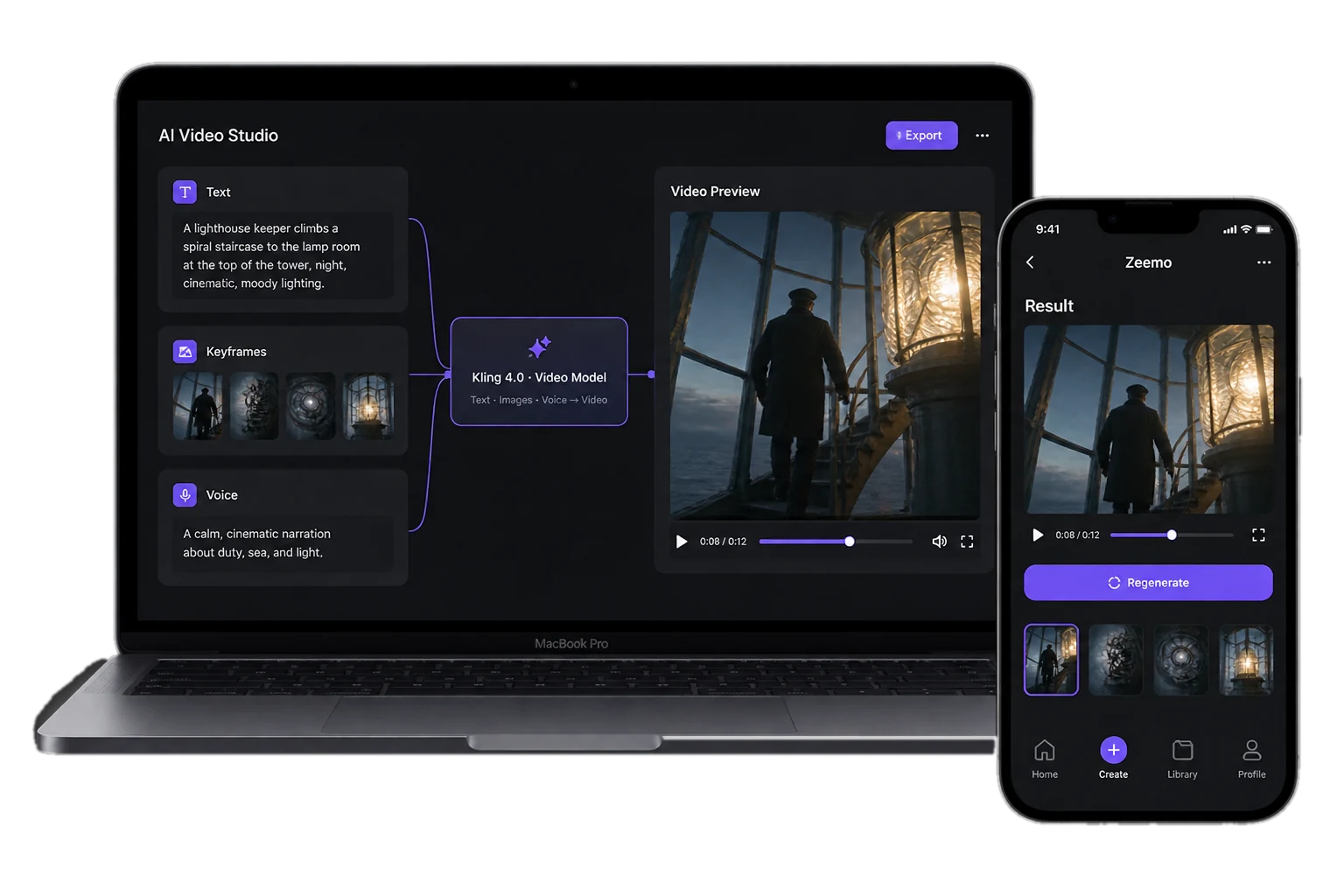
Kling 4.0 30s
Keyframe-Directed AI Video

Up to 30 seconds per generation. 10 keyframes. Up to 15 references across images, video, elements, and voice. Stereo audio and video editing.

Try Kling 4.0 on Zeemo

What Kling 4.0 Makes in 30 Seconds

Thirty seconds, ten keyframes, fifteen references. Enough to direct a scene instead of hoping for one.
What Changed in Kling 4.0

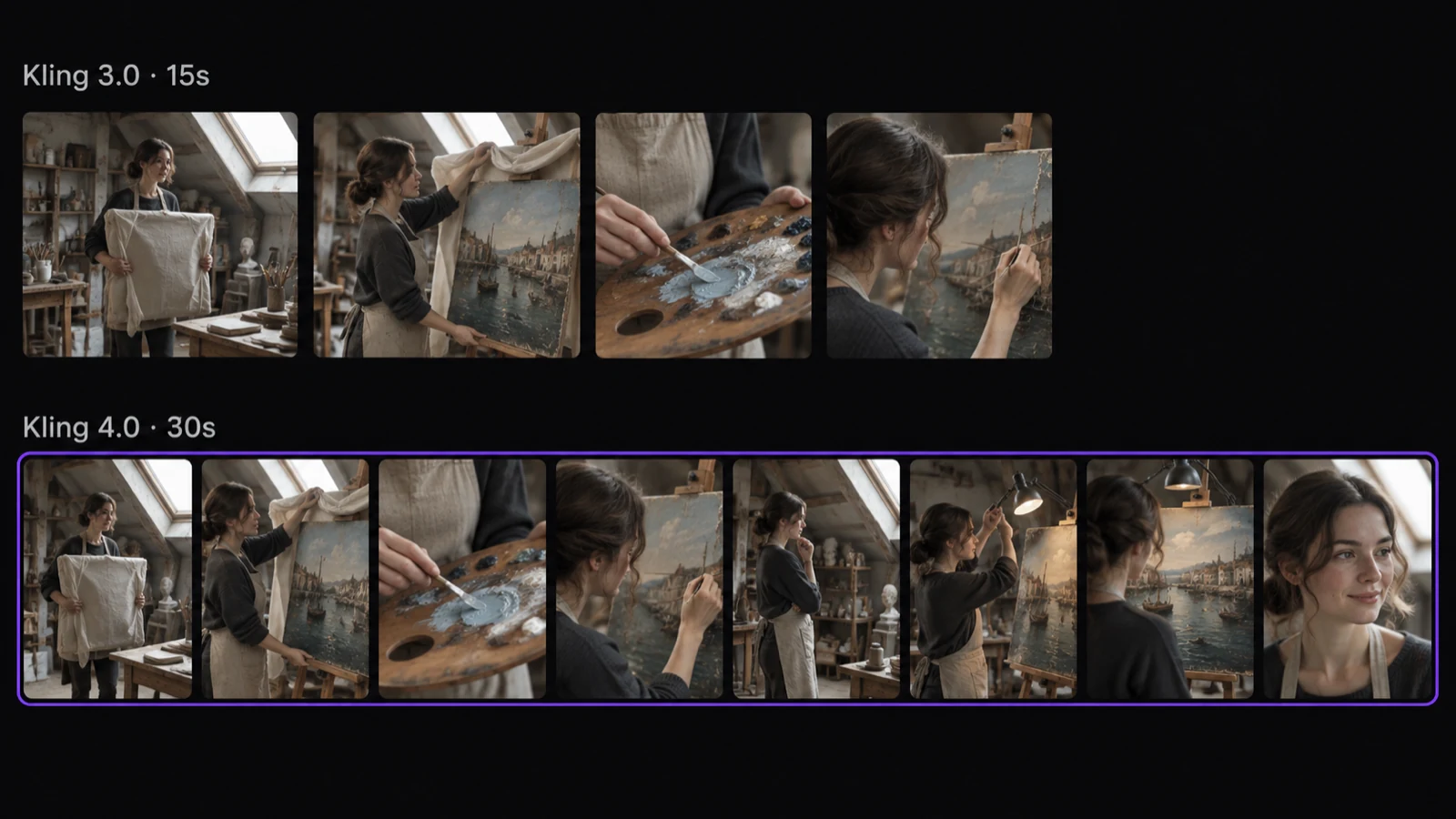
Two filmstrips of the same attic restoration scene: four frames for Kling 3.0 at 15 seconds, eight frames for Kling 4.0 at 30 seconds

Thirty Seconds, One Pass

Kling 4.0 generates up to 30 seconds in a single pass, where Kling 3.0 stopped at 15. A full scene arrives as one generation instead of clips to stitch together, with audio in two-channel stereo.

Twice the length. One generation.

Create a 30-second scene
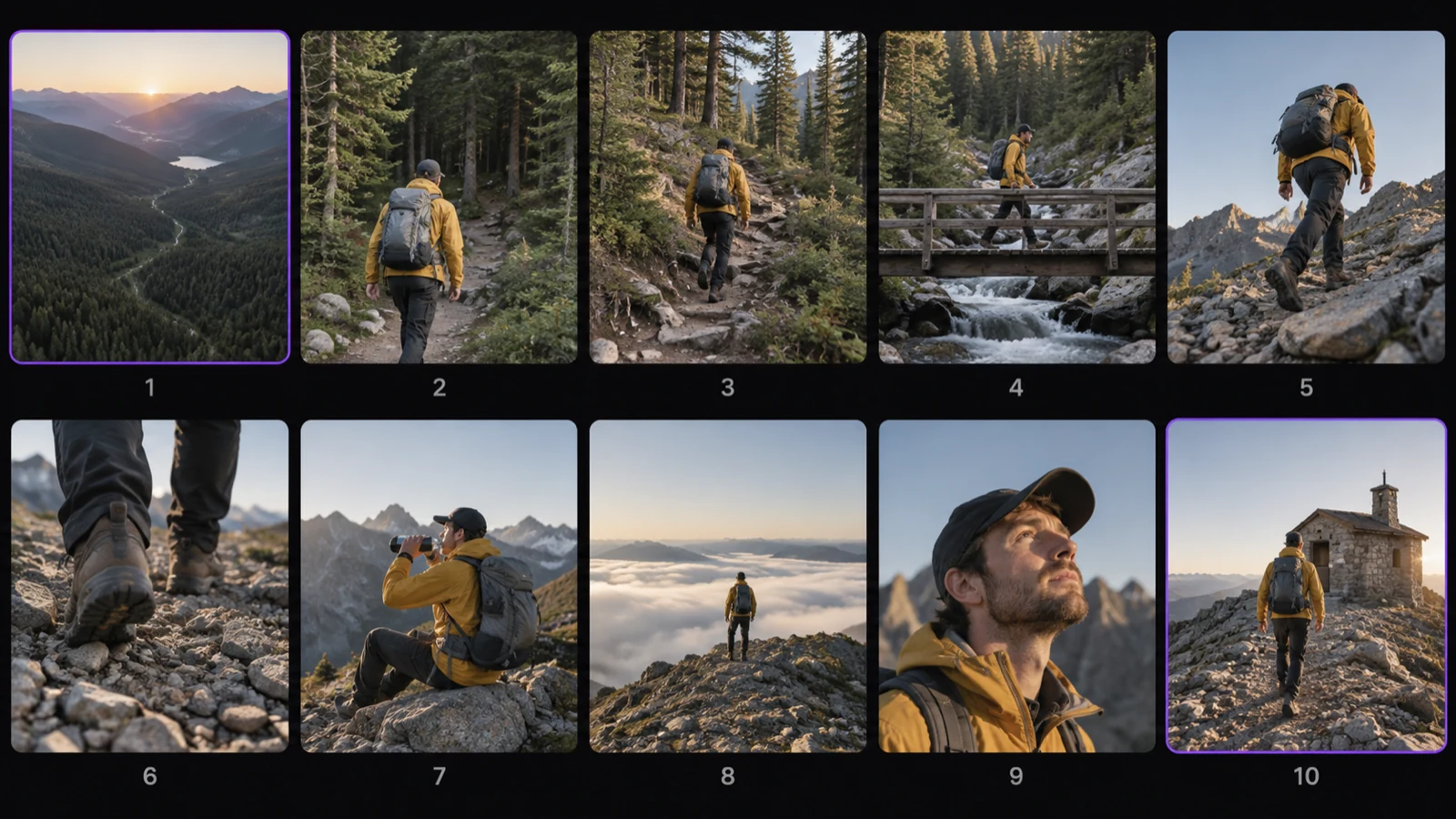
Ten numbered keyframes of one hike, from an aerial valley at sunrise to a stone summit hut

Ten Keyframes, One Shot

Kling 3.0 took a first and last frame. Kling 4.0 takes up to ten keyframe images and moves the shot through them. You set the beats; the model handles the motion between.

Ten frames. One continuous move.

Set your keyframes
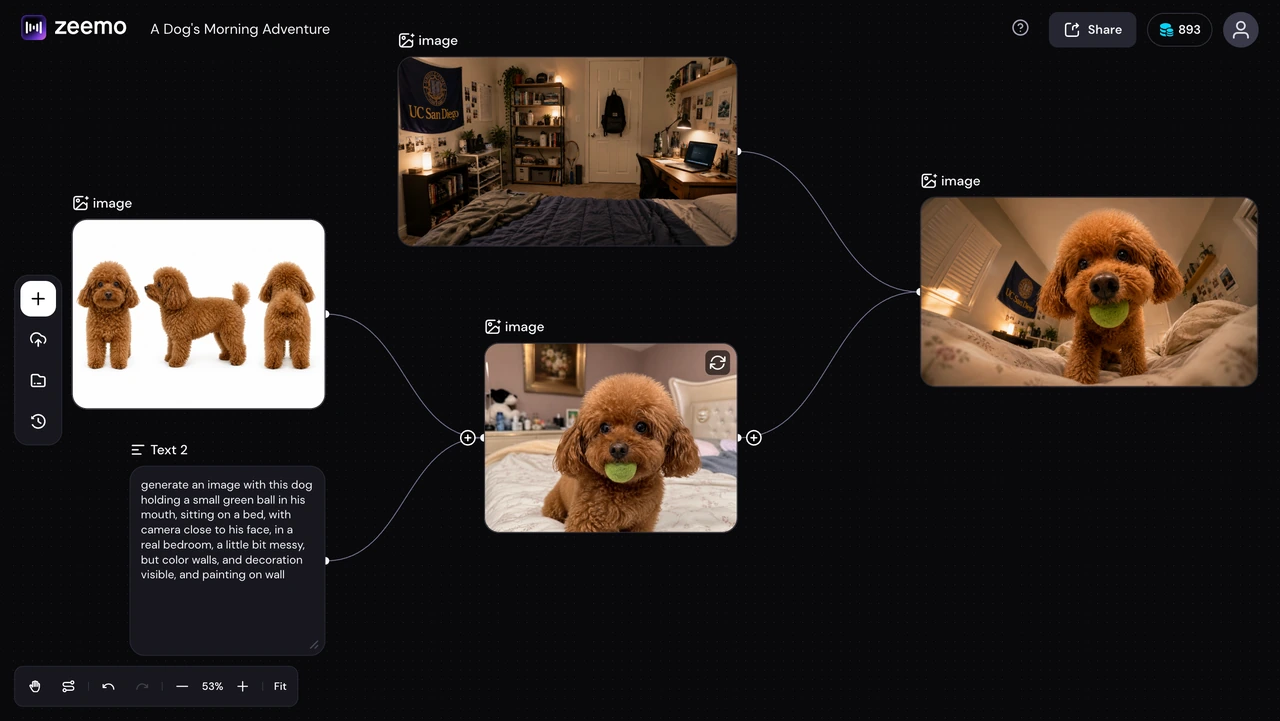
Several reference images and a text prompt connected on the Zeemo canvas into one generated result

Fifteen References, One Canvas

Up to 15 references go in at once across images, videos, elements, and voices, each with its own cap. Kling 3.0 took up to 7 images or subjects without video. On Zeemo they sit on a canvas, so you drop each file where it belongs.

Fifteen references. One canvas.

Start building on canvas
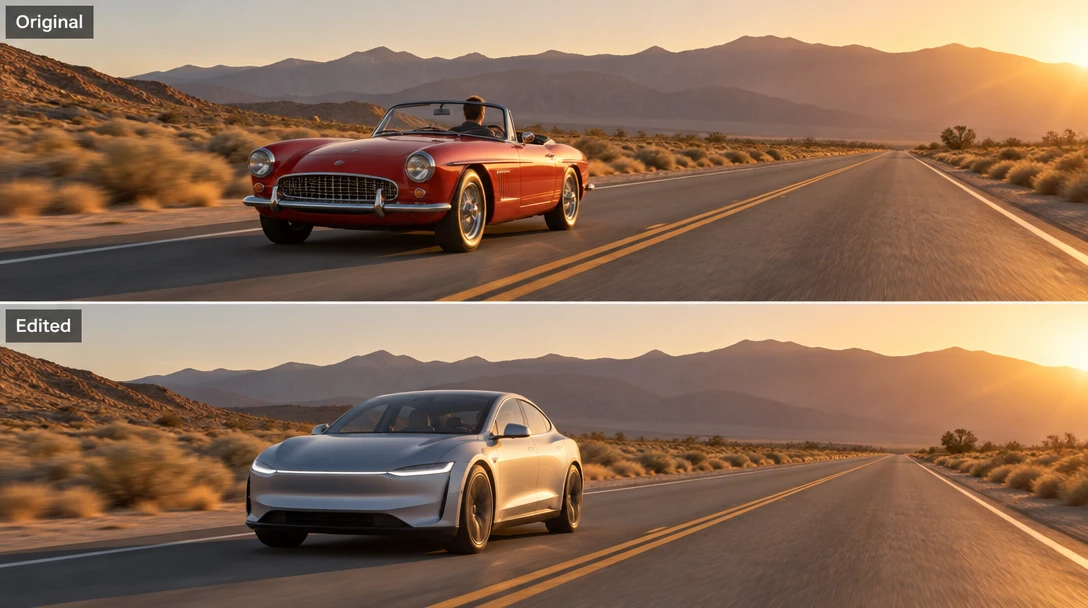
A video shown before and after an edit: the same road, light and camera angle, with the car replaced

Edit the Video, Not Just the Prompt

Open video edit and change expressions, movement, camera, style, or background in footage you already have. Up to five clips go in, thirty seconds combined. Creative Recreation keeps a clip's rhythm and swaps the character or product.

Keep the shot. Change the rest.

Open video edit

How to Use Kling 4.0 on Zeemo

1

Open the Canvas

Pick Kling 4.0 from the model list on the Zeemo AI Canvas. Kling 4.0 Flash is in the same list, for clips up to 20 seconds.

2

Drop Keyframes and References

Up to 10 keyframes and 15 references. Put each one where it belongs in the shot.

3

Write the Arc, Not the Adjectives

Outline the opening, the turn, and the close. Let the references carry the look; use the prompt for the story beats.

4

Generate and Refine

Watch the cut end to end. Swap one keyframe, run it again.

What Creators Are Building

Frequently Asked
Questions

Kling 4.0 is Kuaishou's multimodal AI video generator. It generates up to 30 seconds in a single pass, takes up to 10 keyframes and up to 15 references, outputs two-channel stereo audio, and handles video editing.

Yes. Kling 4.0 and Kling 4.0 Flash are both live in the Zeemo canvas — pick either from the model list and generate. Open the canvas →

Kling 4.0 generates 3 to 30 seconds in a single pass, where Kling 3.0 stopped at 15. Kling 4.0 Flash generates 3 to 20 seconds.

Up to 10 keyframes, as images. References go up to 15 in total: up to 10 images, 5 videos totaling 30 seconds, 7 elements, and 3 voices. On Zeemo you place them on the canvas. Explore the canvas →

Both run in the same Zeemo account. Kling 4.0 goes longer and deeper: 30 seconds per pass, up to 10 keyframes, up to 15 references, and stereo audio. Kling 3.0 stays a solid pick for shorter clips of up to 15 seconds built from a first and last frame.

They suit different briefs, and both run in the same Zeemo account. Kling 4.0 is built for directing a shot: up to 30 seconds in one pass, 10 keyframes, 15 references, and video editing. Seedance 2.5 also runs 30 seconds in one pass and takes up to 30 images, 10 video clips, and 10 audio clips as references. Switch between them on the canvas to see which fits your brief.

Yes. Audio is generated with the picture in two-channel stereo, with main languages including Chinese, English, Japanese, Korean, Spanish, Portuguese, German, French, and Hindi.

Try Kling 4.0
on Zeemo now!

Get it on Google Play Download on the App Store
Start Creating
Kling 4.0 on the Zeemo canvas and in the Zeemo app