YouTube
 TikTok
 Reddit
 Instagram
 Twitter
 Facebook

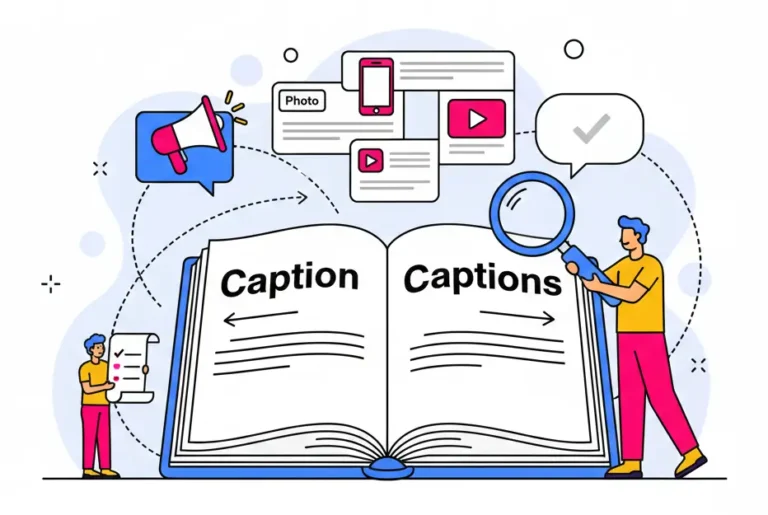
If you create content for the internet, you’ve likely encountered the word “caption.” But do you really know what a caption is? Depending on the context, this word can carry two slightly different meanings.
The answer lies in the number: “caption” (singular) usually refers to a description that accompanies a photo or a video on social media, while “captions” (plural) refers to the on-screen text in a video that improves accessibility (similar to subtitles).
In this ultimate guide, we will break down the definitions, explain what is a caption like a post text, and what are video captions, and show you how to use both types to skyrocket your content engagement. Start exploring!
The singular “caption”: context for social media & images
In its most traditional sense, what is a caption? Historically, it refers to the text printed below a picture in a newspaper or textbook to describe the action.

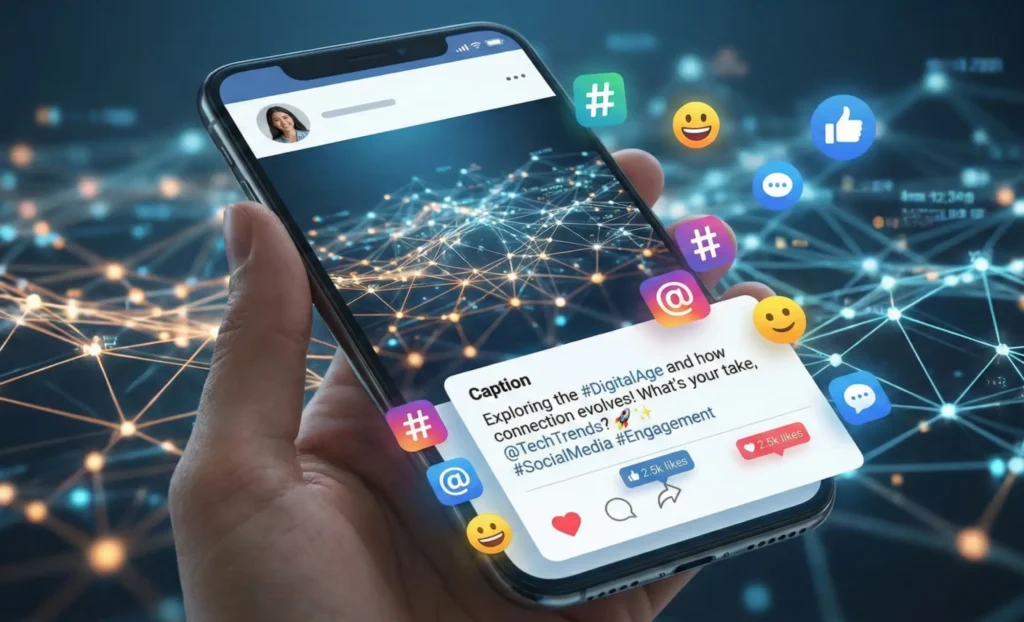
In the digital age, this definition has evolved. On platforms like Instagram, TikTok, LinkedIn, or Facebook, a “caption” is the block of text that accompanies your post. These texts often include hashtags, @mentions, and emojis, serving as hooks to engage your audience.
Why is a good caption important on social media?
On social media, an engaging caption is essential. Its role goes beyond simply describing your post—it helps your content reach a wider audience. Strong caption paired with the right emojis captures attention, encouraging viewers to explore your visuals and interact further through comments or shares. Including relevant hashtags and keywords in your caption also boosts the discoverability of your content.

Tips for writing better social captions
The hook: Your first sentence is the most critical. It must grab attention immediately. Throw out the most engaging questions, data, or hot keywords directly at the beginning, instead of unnecessary preamble.
- Keep it concise: Make your caption clear and to the point. Few people have the patience to read through long blocks of text. Highlight key points and use short paragraphs or bullet points so your audience can grasp the main message at a glance.
- Turn “I” into “you”: whenever you craft a caption, ask yourself, “What can I offer my audience?” Try starting sentences with “you” instead of “I” and write from the audience’s perspective, focusing on content that benefits them.
- Use keywords and hashtags: These make your captions and posts easier to discover. Instead of relying solely on broad tags, include a few specific, niche hashtags to attract a more targeted audience.
- Develop your own personality: try creating captions with a distinctive style, focusing on tone, formatting, and emoji use. Make your posts instantly recognizable and build your unique “caption identity.”
- Use CTAs wisely: Don’t just say “leave a comment.” Give clear, simple instructions for interaction. The more specific users are about how to engage, the more likely they are to take action.

The plural “captions”: what are video captions?
When we switch to the plural form or the context of video production, the meaning changes. “Captions” usually appear together with “video.” So what are video captions?
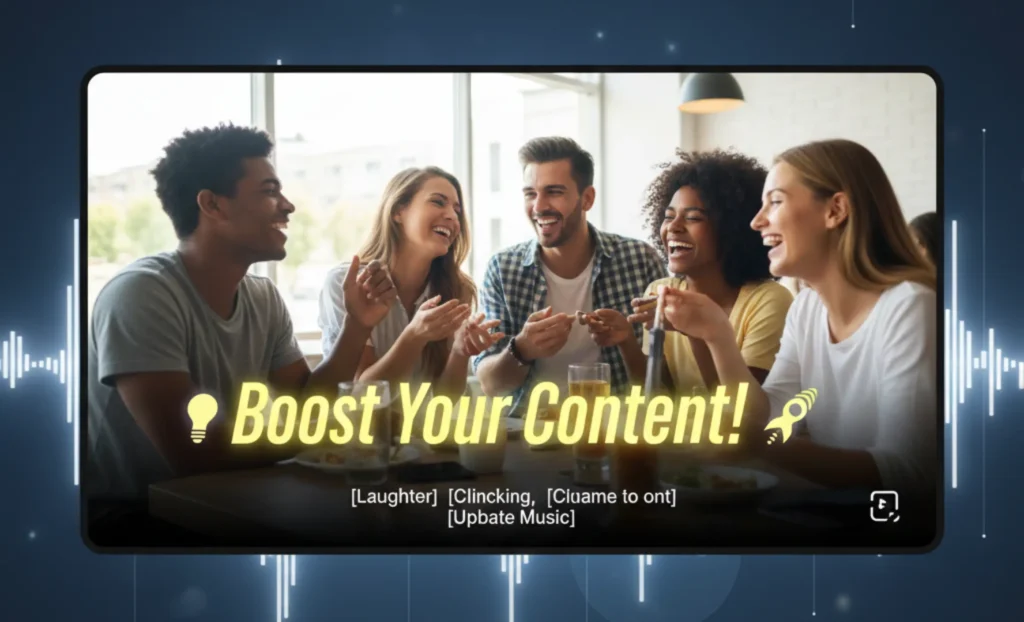
Video captions are transcriptions of the dialogue and other audio elements in a video, displayed as text overlays in various types of videos. Their main purpose is to make videos easier to watch—for example, for deaf or hard-of-hearing viewers, or for those watching without sound.
As video use on social media has sharply grown, captions have evolved beyond their basic accessibility function. They have become dynamic visual elements that can significantly enhance video quality. Creators use a variety of styles—such as animated typography, vibrant highlights, and “karaoke-style” word-by-word effects—to add rhythm and energy to their content.
Why video captions are non-negotiable
Accessibility and inclusivity
Captions are essential for viewers with hearing or cognitive impairments. Many audiences, even without hearing issues, watch videos in noisy environments or prefer to keep the sound off. Captions meet this need, greatly enhancing the inclusivity of your video content.
Aid comprehension and retention
Videos with captions provide both visual and auditory input, enhancing viewers’ understanding and memory of the content. Captions are especially valuable when audio is noisy or when the video covers complex topics or specialized terminology.
Boost engagement and reach
Well-crafted captions add rhythm and energy to videos. By providing visual impact, they highly increase watch-through rates and help retain viewers’ attention.
Now that we understand the importance of video captions, if you’re eager to learn how to use and add them, you can skip ahead. If you’d like to dive deeper, let’s first clarify two terms that often confuse creators.
What’s the difference between captions and subtitles?
Although “subtitles” and “captions” are often used interchangeably in everyday conversation—and both can be closed (on/off) or open (permanently embedded)—there is a clear distinction between them.
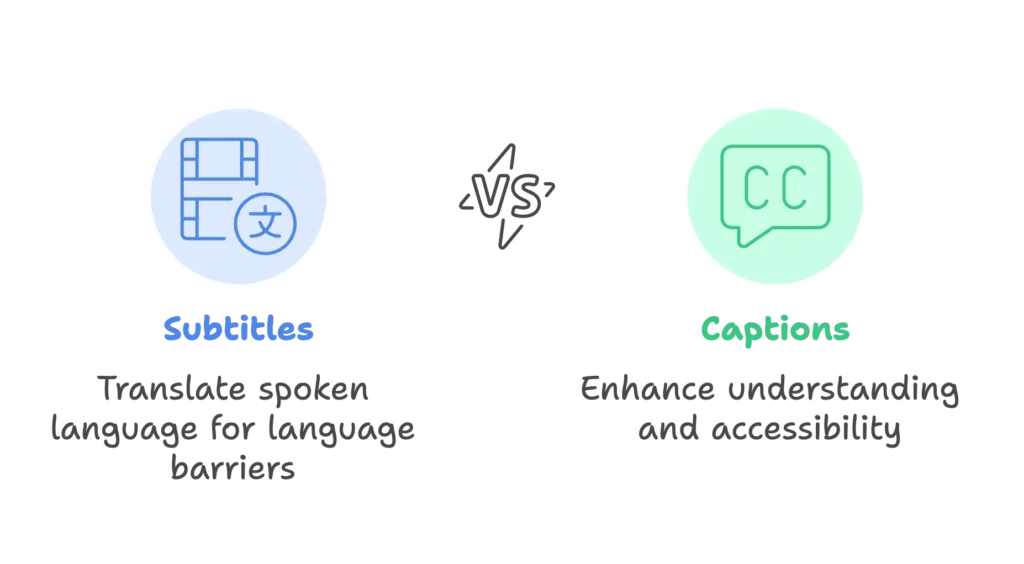
Subtitles are designed for viewers who can hear the audio but don’t understand the language; their primary purpose is translation. For example, when the text differs from the spoken language in the video, it’s considered subtitles. In contrast, captions were originally created to aid understanding and enhance accessibility, and typically do not involve different languages.
More deep dive: what is closed caption vs. open caption?
To master more advanced video strategies, you might need to understand the difference between closed caption and open caption.
What is closed captioning?
Closed captions (often labeled as CC) are captions that viewers can choose to turn on or off. They exist as separate files (such as .srt files) and are uploaded alongside the video.
- Pros: Viewers have control; text is searchable by search engines (great for SEO).
- Cons: The style relies on the video player (YouTube, Netflix, etc.).
What is open captioning?
Open captions are captions that are directly “embedded” or hard-coded into the video file. They are part of the visuals and cannot be turned off.
- Pros: You have total control over the font, brand colors, and style.
- Cons: Users cannot disable them if they find them distracting.
So how should you use closed and open captions correctly? In short, choose based on your needs: use open captions on social media (like Instagram Reels or TikTok) to make the text stand out and enhance video quality; use closed captions for long-form content (like YouTube or website embeds) to meet accessibility standards, allowing viewers to turn them on or off as needed.
Tips for using video captions
- Ensure caption readability: Your text should be clear and easy to read. Use high-contrast colors (like white text with a black outline) and legible fonts. Break long sentences into short, simple segments and limit the length of each line so viewers can easily follow along.
- Perfectly sync your captions: Make sure your captions align precisely with the audio. Captions that appear early or late can greatly disrupt the viewing experience, frustrating viewers and lowering watch-through rates. You don’t want your audience to lose confidence in your videos.
- Use dynamic effects: Treat captions as visual highlights, not just text. Apply different colors, bolding, or subtle animations to emphasize key phrases and guide viewers’ attention. This visual variety can reduce viewer fatigue and significantly increase watch time.
- Add complementary elements: Pair your captions with emojis, stickers, sound effects, and other elements. This enriches the visual experience, making your content look more professional and engaging. Keep the elements balanced to avoid a cluttered screen, but don’t be afraid to experiment to discover your unique caption and visual style.
- Respect the “safe zone”: Make sure your captions aren’t covered by interface elements. Position them within the visual “safe area”—usually the center or upper-middle part of the screen—so they won’t be blocked by text descriptions, buttons, or progress bars.

Now that you fully understand video captions, you might be wondering whether applying all these best practices manually is overwhelming. Fortunately, AI can take over much of the heavy lifting and automatically generate polished, high-quality captions for you.
The rise of AI: what is auto caption and how does AI do this?
Creating captions used to be a tedious manual process. You had to type out every word and manually sync the timestamps. Enter the modern solution.
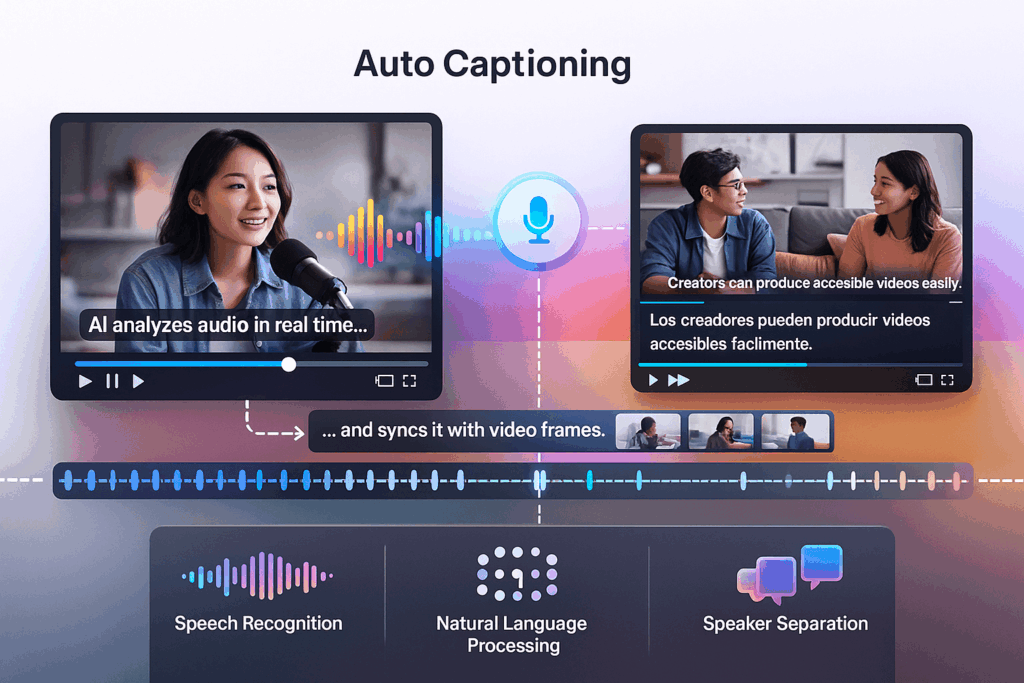
Auto caption is the process where AI analyzes audio in real time, turns speech into text, and syncs it with video frames. Behind this simple feature is a mix of advanced speech recognition, natural language processing. These systems understand context, and even separate different speakers to keep captions accurate. As a result, creators can produce accessible, multilingual, and engaging videos with ease, while greatly reducing production time.
Why use auto captions?
- Faster speed: Videos can be transcribed and captions generated in minutes, instead of waiting for hours.
- Cost-effective: Using AI captioning tools is certainly much cheaper than hiring a transcriber.
- Engagement: Allows you to add various dynamic captions that keep viewers glued to the screen.
- No technical skills required: Get professional captions without any learning curve, freeing up more energy to focus on your video creativity.
While many AI caption tools exist today, if you want the perfect balance of accuracy, style variety, and speed, one solution stands out. Now, let’s explore Zeemo’s AI caption generator together!
The best way to create AI captions with Zeemo
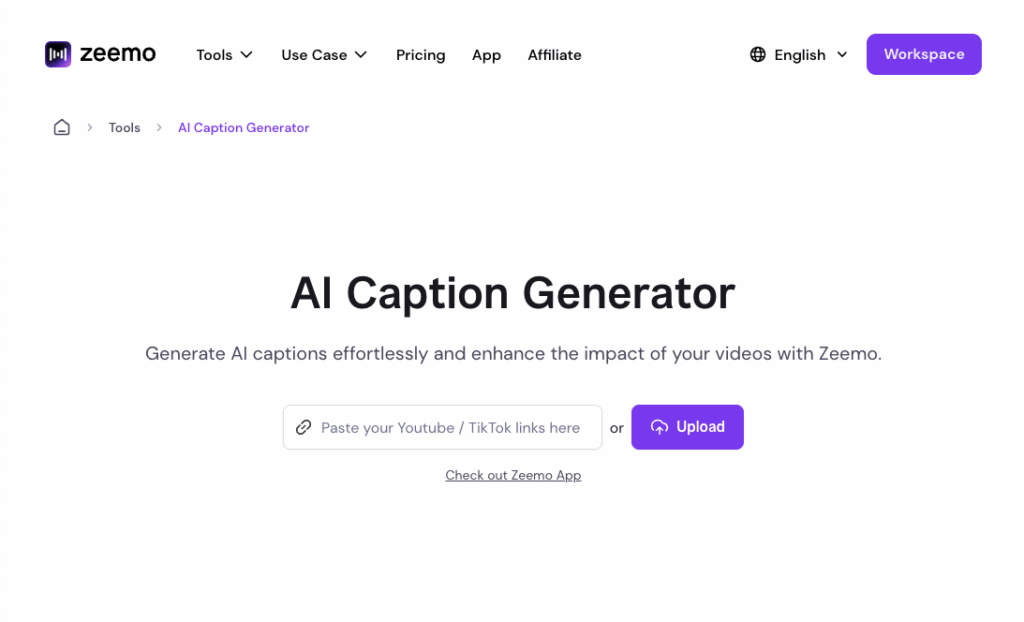
Zeemo’s AI caption generator is an AI tool that makes adding high-quality captions to videos effortless. It can generate captions with up to 98% accuracy and offers over 500 caption templates to choose from. Beyond simplifying the captioning process, Zeemo also provides features for editing videos around captions. With this single tool, you can easily add captions and quickly enhance both the quality and engagement of your videos.
Key features
Explore the standout features of the Zeemo AI caption generator and discover how creating captions can be effortless and fun:
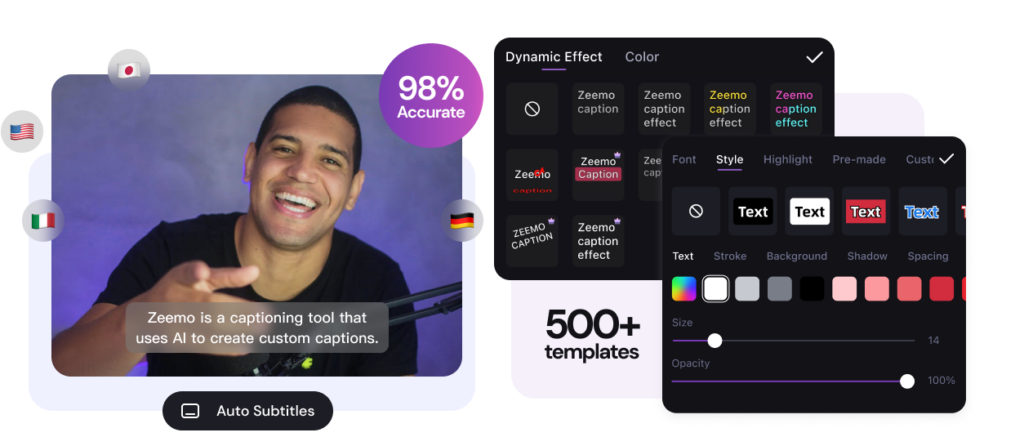
- High-precision captions – Accurately transcribe videos with captions achieving over 98% accuracy.
- Extensive caption templates – Access 500+ rich static and dynamic caption styles, fully customizable, with the option to save your own styles for reuse.
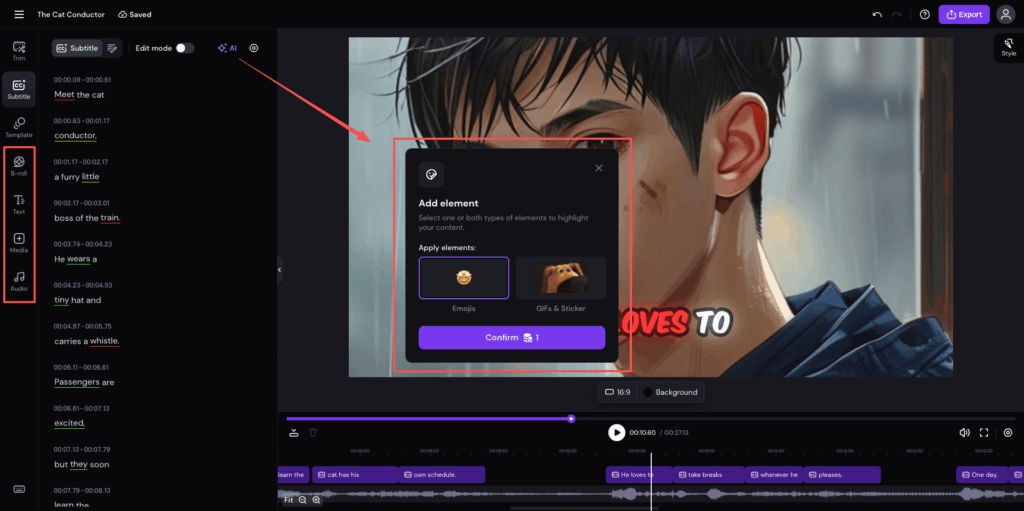
- AI-powered elements – Automatically add emojis and stickers to enhance captions; intelligently highlight keywords to emphasize key moments.
- Multi-speaker recognition – Smartly detect different speakers and differentiate them using distinct caption styles.
- Text-based smart editing – Remove unnecessary pauses and filler words with one click; edit text to automatically trim corresponding video segments.
- Platform-optimized – Adjust video aspect ratios for various social media platforms with one click, supporting B-roll additions and background music.
- Multilingual and bilingual support – Accurate translation in 110+ languages, with customizable bilingual captions to match your video style.
How to generate AI caption with Zeemo
Zeemo can be accessed through its website or by downloading the app. Here’s a guide to using the web version—using the app is just as simple and intuitive!
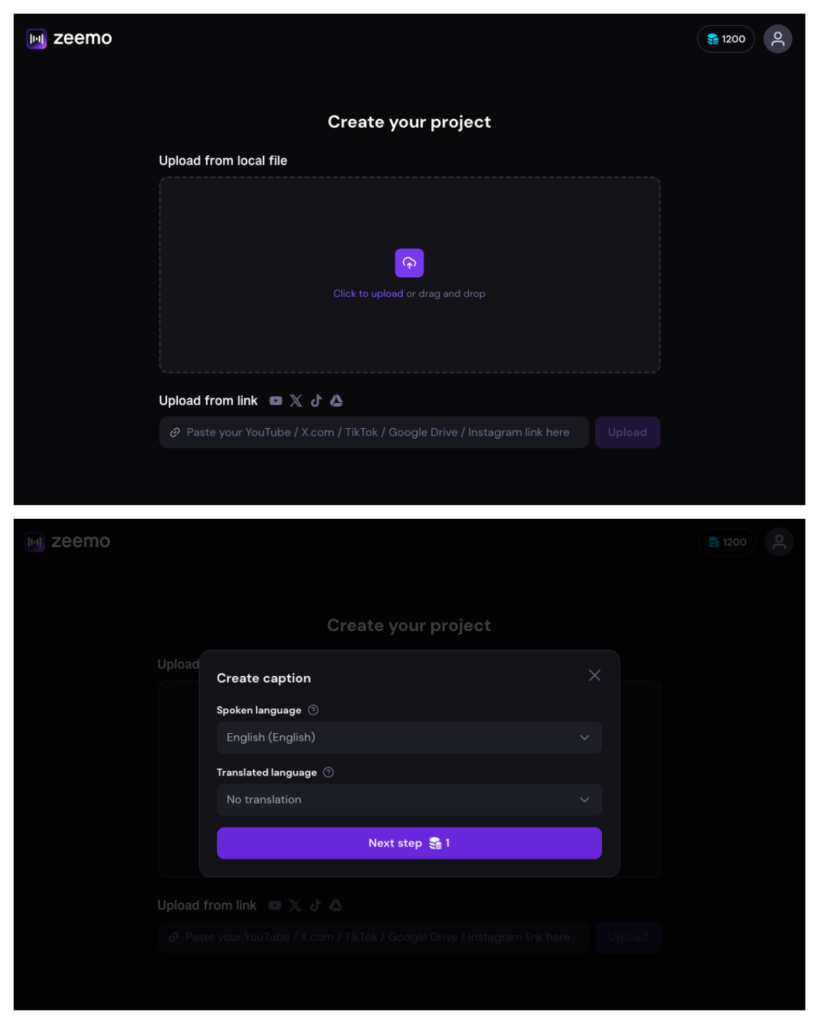
Step 1: Upload video
Start by uploading a video, or pasting the video link directly. Select the language, then click “Next step.”
Step 2: Adjust captions and optimize video
Easily review and edit the generated captions. Choose your favorite caption style or customize your own unique look.
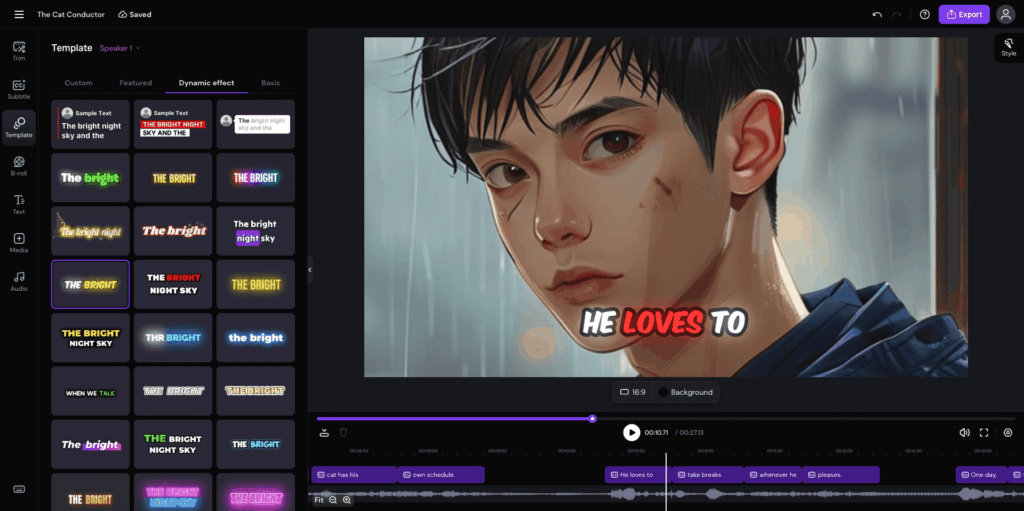
If needed, trim your video simply by editing the text. You can also enhance your video by adding elements like emojis, GIFs, B-rolls, music, and more.
Step 3: Export and share
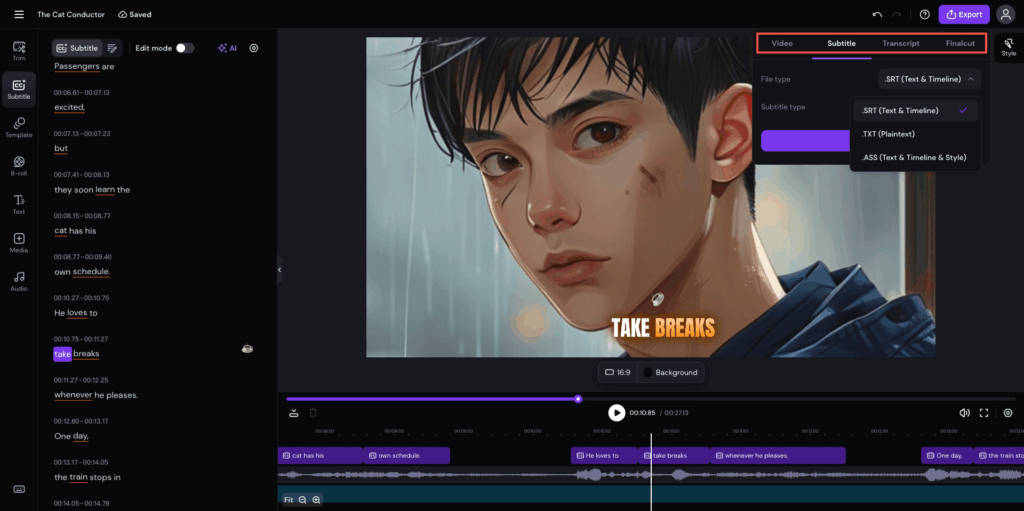
Once you’re satisfied with your video, click the “Export” button in the top-right corner and choose to export either the video or the caption file. Video quality options are available, and captions can be exported in SRT, ASS, or TXT formats.
Conclusion
By now, you should have a clear understanding of what a caption is. How to use captions effectively, however, requires ongoing experimentation and adjustment. Whether it’s an attention-grabbing hook in a social media post or on-screen text in a video, leveraging captions to their fullest is key to maximizing engagement and accessibility. However, you don’t need to struggle with manual transcription or hours of editing to get results. Elevate your content strategy with the speed and precision of AI. Ready to create professional, dynamic videos effortlessly? Start using Zeemo today and watch your engagement soar.
FAQ
When posting videos on social media, should I choose open captions or closed captions?
It depends on your platform and purpose. For short videos on TikTok or Instagram Reels, open captions are recommended, allowing you to style captions to grab viewers’ attention. On longer video platforms like YouTube, closed captions are better for SEO. To make your captions even more engaging, Zeemo offers over 500 templates, helping your videos stand out across all social media platforms.
Why is it strongly recommended to add captions even if your video has sound?
Data shows that many social media users watch videos in silent mode (for example, during commutes or in public places). Without captions, these viewers are likely to scroll past. Captions also aid in conveying information, helping viewers better understand and remember complex content. To capture this silent-viewing audience, you can use Zeemo to quickly generate high-precision captions, ensuring your content engages viewers whether the sound is on or off.
Are AI-generated captions accurate, and do they still need manual editing?
With advances in natural language processing, modern AI caption tools can achieve very high accuracy. However, there may still be errors in extremely noisy environments or with rare dialects, so manual review is recommended. Choosing a highly accurate tool can significantly speed up the review process. Zeemo offers over 98% accuracy and smart editing features, greatly reducing the time needed for manual corrections.