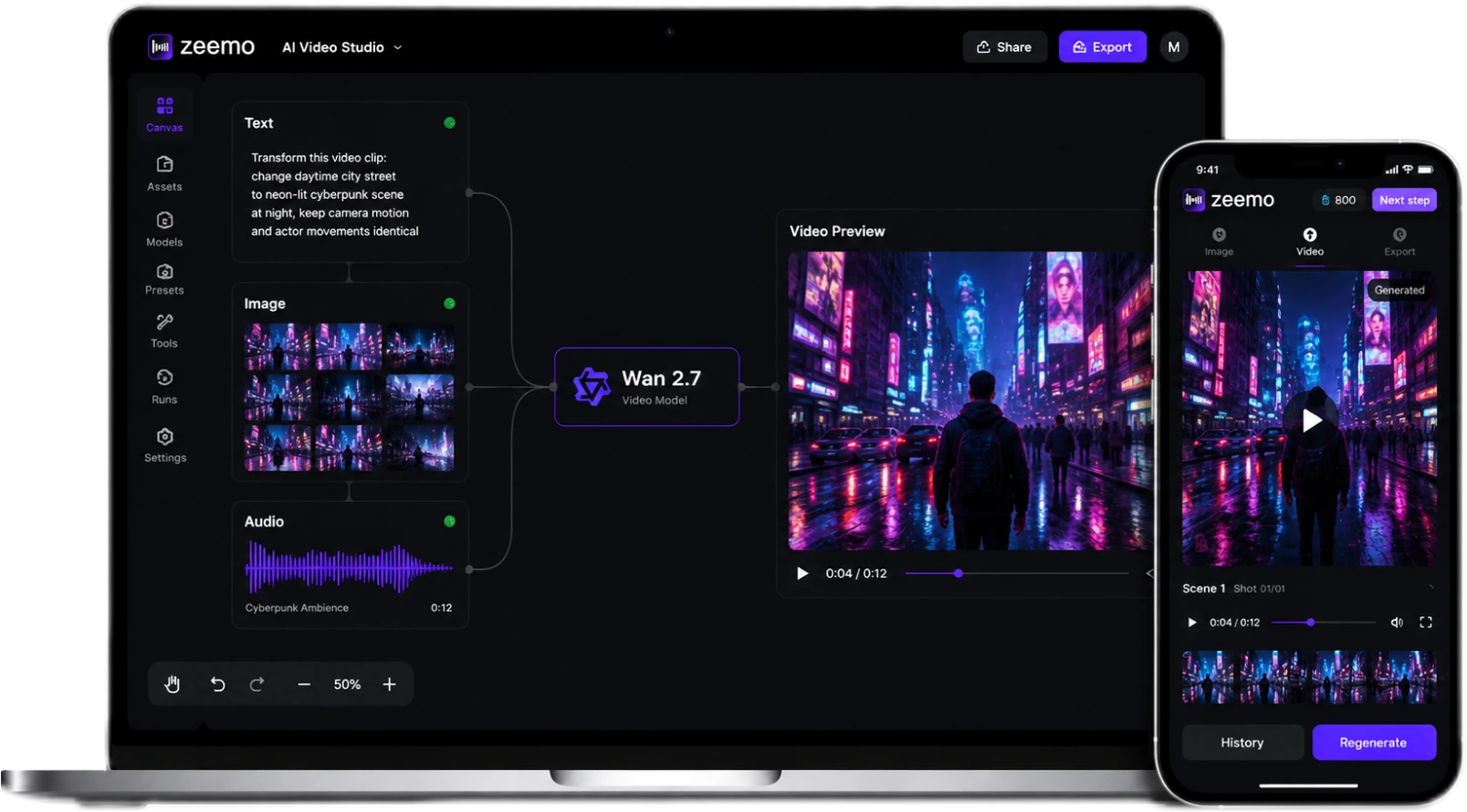
Generate. Control. Edit. Preserve.
You don't need three tools. You need one pipeline. Wan 2.7 covers the full creative journey — four stages, one suite, no switching tabs.
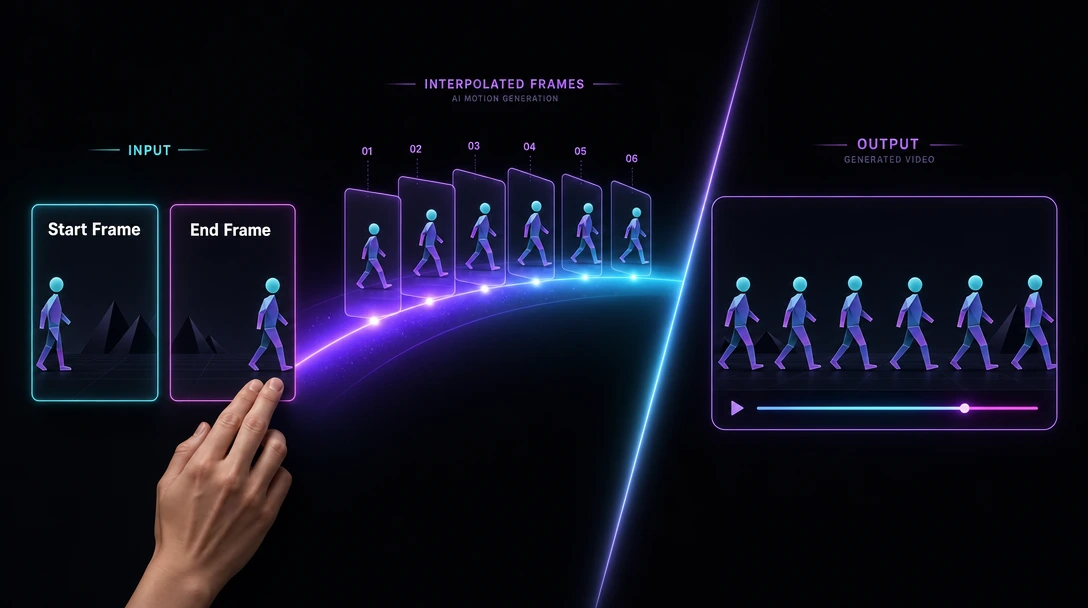
Nail the Shot, Frame by Frame
Set your opening frame and your ending frame. Wan 2.7 interpolates every frame between. No more hoping the AI guesses right.
Your vision. Your keyframes. Zero drift.
Try frame control on Zeemo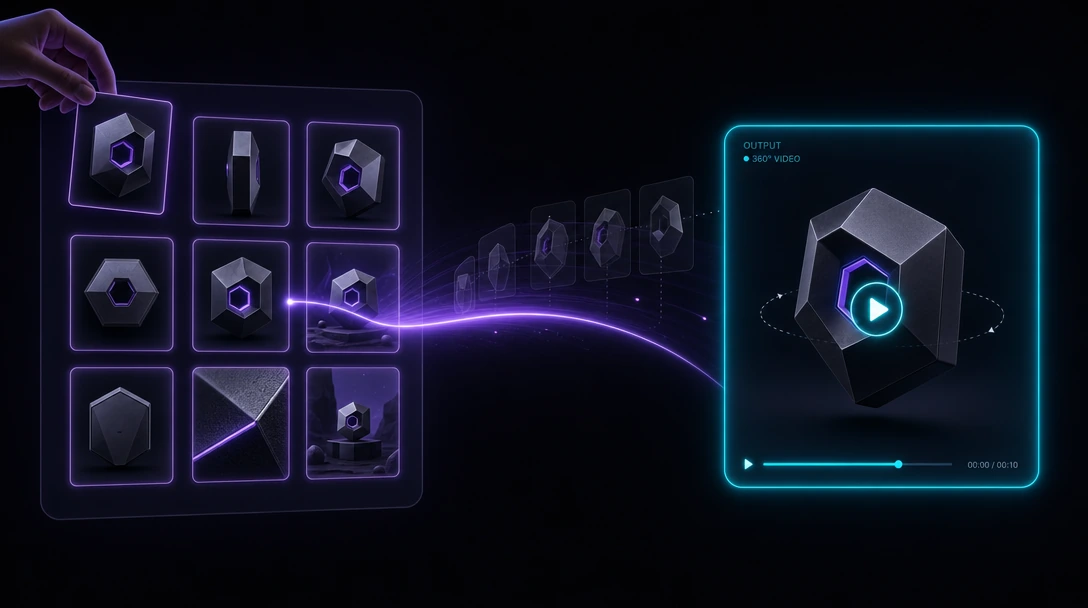
Feed It More. Get More Back.
Drop up to 9 reference images. Every angle of your product, every expression of your character, different lighting setups. Wan 2.7 reads all 9 at once and stitches one coherent video. No cherry-picking the best shot.
Nine angles. One take. No compromises.
Try 9-grid on Zeemo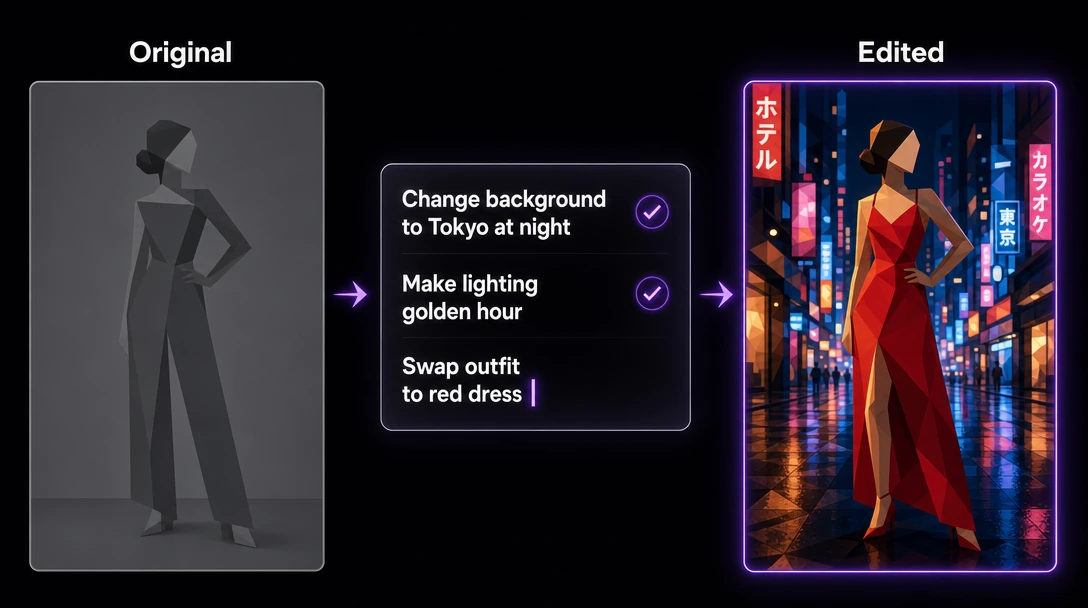
Natural Language. Professional Results.
Want a different background? Change the lighting? Swap an outfit? Just say it. Wan 2.7 edits your video on command. No timeline, no After Effects, no compositing. Ranked #1 in V2V editing on DesignArena (Elo 1334).
Speak the edit. Watch it happen.
Try video editing on Zeemo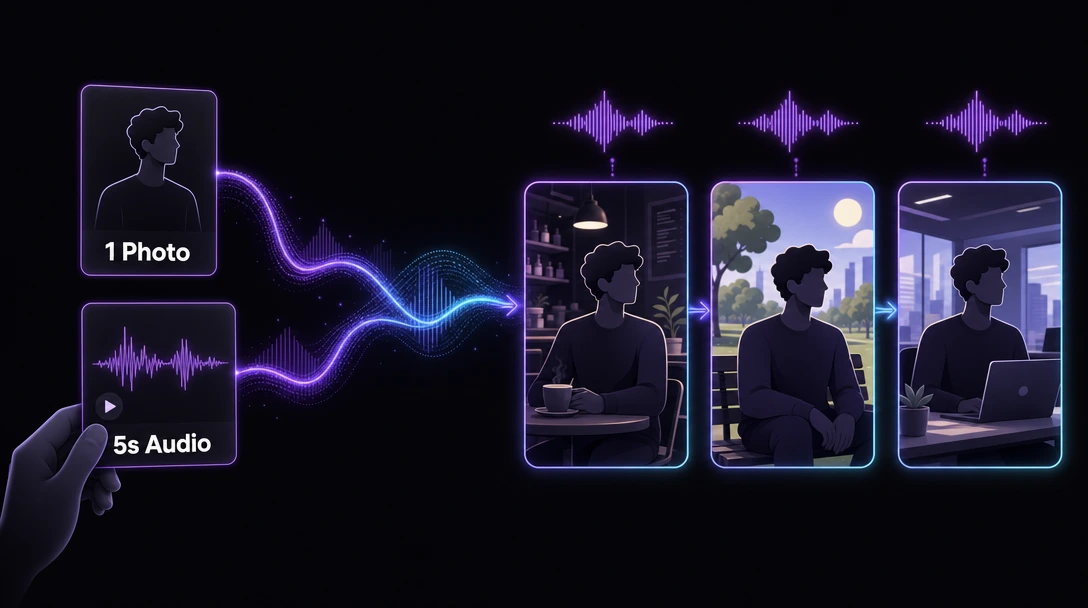
Lock the Look. Lock the Voice.
One photo locks their face. One 5-second audio clip locks their voice. Wan 2.7 keeps both consistent across every scene. Up to 5 subjects, multi-character interaction, zero identity drift. Your characters don't just look the same. They sound the same.
Build your cast. Give them a voice. Then tell your story.
Try subject lock on ZeemoWhat You Can Create with Wan 2.7
From broadcast donghua to product ads, Wan 2.7 on Zeemo delivers production-ready results without leaving the canvas.
How to Use Wan 2.7 on Zeemo
Build Your Node Graph
Drop Text, Image, Video, Audio nodes onto Zeemo AI Canvas. Connect them — links are your data flow.
Set Frames, Grids & Voice Refs
Set start/end frames for pin-point motion control. Drop 9-grid refs for multi-angle consistency. Feed a voice sample — vocal timbre locks across every clip. Up to 15s, 1080p.
Generate & Talk to Your Edit
Generate. Then talk to it — "darker background," "warmer light." Run versions side by side, export the winner. Done.